
Independent recording costs pile up fast. Studio tracking, vocal tuning, and pro mastering demand serious cash. Touring barely pays petrol, while physical merchandise moves at a crawl between release cycles.
Every working musician needs a dependable revenue engine. Broadcasting on Twitch or YouTube Live bridges that financial gap. It connects your songwriting directly with dedicated gaming fans who actively support independent talent.
With the right gaming stream setup, your channel becomes a profitable digital residency. You play competitive matches, debut live acoustic riffs, and collect viewer donations that directly finance your next EP master.
Key Takeaways
- A smart gaming stream turns interactive broadcasts into reliable recording funds for any musician.
- Clean hardware routing isolates your guitar and live vocals from high-volume gameplay noise.
- Strategic lighting setups and clear camera angles keep stream visuals sharp and engaging.
- Low latency monitoring protects musical timing when tracking instruments alongside demanding games.
- Careful DMCA management safeguards your original tracks and broadcast archives across platforms.
Why Musicians Are Turning Gaming Streams Into EP Funding
EP production budgets do not fund themselves. Studio fees dry up personal savings quickly. That harsh reality pushes artists toward live broadcasts as an engaging, direct revenue channel.
Twitch and YouTube Live boast massive crossover audiences who respect musical craftsmanship. Gamers subscribe, send tips, and stick around through long sessions when an artist brings personality and energy.
Streaming creates a continuous digital stage. You can play intense rounds, test an unreleased chorus during respawn screens, and chat about studio techniques. Fans love watching the creative process unfold live.
This format turns casual downtime into steady crowdfunding. Monthly viewer subs and super chats translate straight into paid studio hours, session bassist fees, and final mastering invoices.
The Core Gaming Stream Setup Every Musician Needs
Broadcasting demanding games alongside pristine audio tests your computer hardware. An effective streaming rig must balance heavy GPU processing with clean, interference-free sound reproduction.
A primary PC processes game assets and 3D rendering. Running software synths, amp modelers, and real-time audio plugins simultaneously can easily choke a single system processor.
Balancing Processing Power and Audio Fidelity
A dual-PC configuration provides distinct relief for an active musician. Your gaming machine runs the title, while a secondary encoding rig captures live feeds and balances audio.
A hardware capture card passes video signals smoothly between both systems. Offloading video encoding protects in-game frame rates and eliminates jitter during live musical solos.
Upgrading Visuals With Dedicated Lighting
Visual fidelity matters when demonstrating fretwork or keys. Mount a primary key light slightly above eye level to illuminate your face and hands clearly.
Dialing in a proper lighting setup transforms standard webcams instantly. A diffused key light prevents harsh shadows, while a compact ring light delivers balanced fill lighting across your studio desk.
Clean lighting ensures viewers catch every nuance of your playing technique. Professional visuals build viewer retention, helping convert passing gamers into invested community backers.
Routing Instrument and Game Audio Into One Stream Without Feedback
Audio routing makes or breaks your broadcast. When your vocal microphone, Discord chat, and game sound clash over the same channel, nasty phase mud ruins the listening experience.
A studio audio interface handles physical gear. It accepts a balanced xlr mic for vocals alongside high-impedance instrument cables for electric guitars or synthesizers.
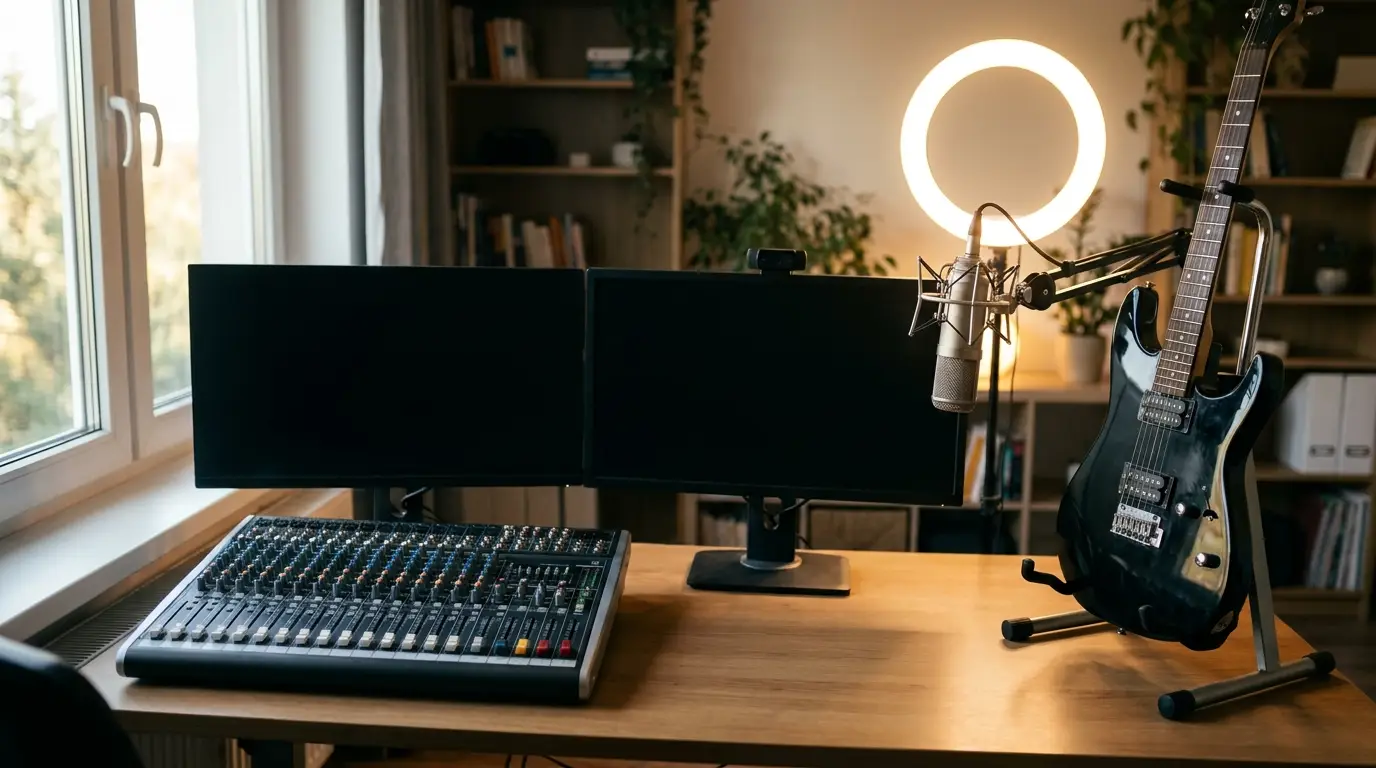
Hardware loopback functions route stream music and PC playback back into your mix cleanly. This guarantees low latency monitoring without sending desktop sound into endless feedback loops.
Dialing in a gaming stream setup for musicians demands reliable performance. Dominate effortlessly with Rust cheats with aimbot and ESP. Battlelog has no affiliation with Facepunch Studios or any game publisher.
An external audio mixer provides physical faders for real-time control. Balancing game sound against crisp instrument audio keeps vocal delivery clear throughout intense shootouts.
Playing Live and Gaming at the Same Time in OBS Studio
Configuring your software mixer inside OBS Studio demands discipline. Clean mixing keeps vocal dynamics balanced so casual viewers never miss a lyric or an in-game callout.
Always wear closed-back studio headphones during live streams. Open-back cans or desk monitors bleed gunfire directly into your vocal xlr mic, creating terrible acoustic phase cancellation.
Gain Staging and Scene Management
Calibrate stream decibels before going live. Target vocal peaks around -12 dBFS, hold instrument audio around -18 dBFS, and duck game effects down 10 dB below your voice.
Add dedicated audio capture inputs in OBS Studio rather than using broad desktop capture. Isolated sources allow instant volume automation whenever you pick up an acoustic guitar.
Build dedicated scenes for gaming and acoustic interludes. Assign hotkeys to switch between a full-screen gameplay layout and an intimate camera scene showcasing your instrument.
Apply light compression, a high-pass filter, and a brickwall limiter to your microphone chain. Avoid aggressive noise gates that clip delicate vocal notes while singing.
Multi-Source Audio Routing for Musician-Streamers
Four audio feeds require discrete management: your vocal microphone, instrument tracks, game audio, and Discord team chat. Managing these distinct feeds prevents chaotic stream mixes.
A modern broadcast audio mixer or a dedicated GoXLR routes multiple audio channels with tactile precision. You adjust background balance on the fly without minimizing your active game.
Hardware units like the GoXLR offer dedicated motorized sliders and virtual sub-mixes. You can mute Discord audio for your stream while retaining clean game audio in your ears.
Digital software mixers like VoiceMeeter Banana route internal audio buses if physical gear exceeds your starter budget. They separate virtual sound cards cleanly without added cost.
Never duplicate audio pathways across your OS and audio interface drivers simultaneously. Parallel routing creates nasty comb filtering and high-pitched acoustic squeals that drive viewers away.
Every serious musician benefits from tactile hardware. Physical knobs let you cut booming game sound instantly when transitioning into an impromptu acoustic performance.
Fixing Latency When Your DAW Meets Your Game Capture
Audio lag destroys live musicianship. If your guitar pick hits a chord and sound reaches your headphones a fraction of a second later, your tempo collapses instantly.
Keep driver buffer sizes minimal within your digital audio workstation. Set audio interface buffers between 64 and 128 samples to guarantee low latency tracking while broadcasting.
Direct hardware monitoring completely bypasses operating system delays. It feeds pristine instrument audio straight to your ears in real time while routing wet signal downstream to OBS.
Ditch wireless transmitters and Bluetooth monitors entirely. Wired connections eliminate wireless interference and transmission latency, preserving tight rhythmic synchronization between your hands and the stream feed.
A dedicated musician needs reliable timing. Synchronizing your capture card delay offset in OBS Studio ensures your lips, fingers, and game audio align perfectly.
Budget-Tiered Gear Lists: Entry-Level vs. Pro Musician Streamer
Building a quality gaming stream setup does not mean draining your recording savings. Strategic purchases allow you to launch immediately while saving funds for album mastering.
Compare starter streaming equipment with pro-grade gear to plan your hardware progression:
|
Component |
Starter Musician Tier |
Pro Creator Studio Tier |
|
Vocal Capture |
USB condenser microphone |
Broadcast xlr mic with dynamic capsule |
|
Audio Interface |
Two-channel desktop box |
Multi-channel interface with loopback and DSP |
|
Visual Hardware |
1080p webcam and desktop ring light |
Mirrorless camera array and diffused key light |
|
Studio Lighting |
Basic clip-on ring light |
Three-point softbox lighting setup |
|
Signal Routing |
Software routing via VoiceMeeter |
Hardware audio mixer or GoXLR desk |
A starter rig centered on a practical lighting setup gets you online fast. You entertain viewers, build an audience, and generate revenue right away.
Upgrading over time introduces an advanced lighting setup and multi-input preamps. That flexibility lets any indie musician host live guest jam sessions with zero technical headaches.
Copyright, DMCA, and Licensing Rules for Streaming Covers and Originals
Broadcasting on Twitch or YouTube Live requires strict attention to intellectual property laws. Playing copyrighted commercial music during streams risks channel strikes and immediate audio muting.
Cover songs occupy a tricky legal gray zone. Live cover performances rarely trigger real-time takedowns, but archived stream recordings frequently generate automated DMCA strikes.
Mute or delete stream archives that feature cover songs. Separating your broadcast mix from your VOD recording track in OBS Studio protects your channel from automated copyright strikes.
Showcasing your original songs is the safest approach for an indie musician. Performing unreleased EP material avoids copyright flags while creating authentic excitement for your upcoming release.
Keeping Your Stream and Your Gear Safe While You Play
Securing your streaming channels protects your creative income. When regular gaming streams fund studio engineers and pressing costs, compromised credentials halt record production immediately.
Enable two-factor authentication across your streaming platforms, email accounts, and gaming launchers. Use unique passphrases to defend against credential stuffing and unauthorized takeovers.
Protect your broadcast stream keys with extreme care. Never show configuration menus on screen during a live broadcast, as compromised keys let bad actors hijack your channel.
Keep your broadcasting tools updated and tested. Winning is just a click away when an ambitious musician relies on an engineered setup that keeps every performance flawless.