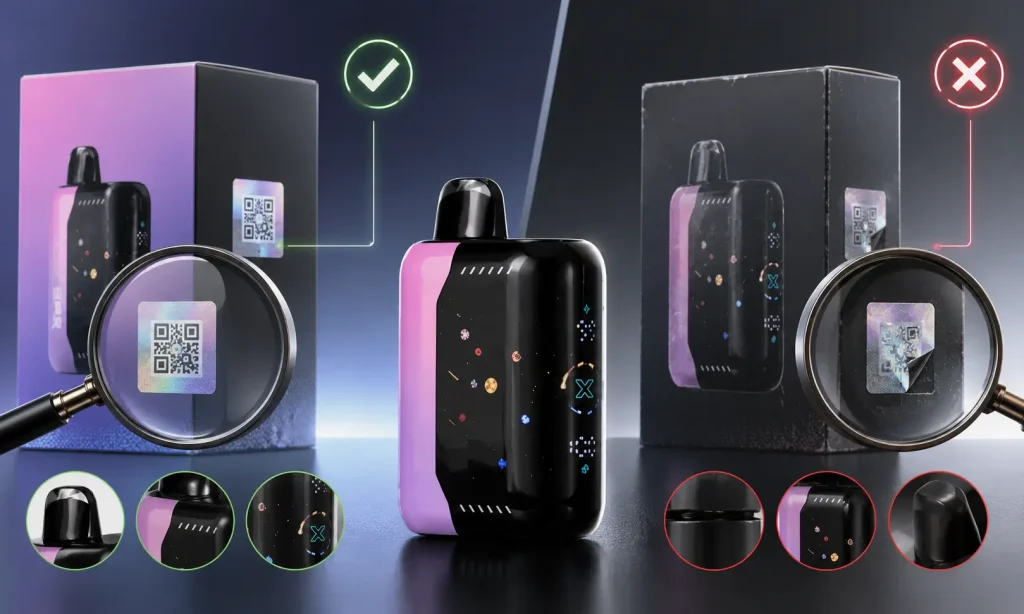
If you are unsure whether your Geek Bar Vape is genuine, do not rely on a single detail to make the decision. Spotting a counterfeit usually means checking several things together, including the packaging, QR code, security code, device construction, labeling, and overall performance. Taking a few minutes to compare these details can help you catch inconsistencies that may not be obvious at first glance. A genuine device should generally show consistency across its packaging, authentication information, and physical build. We’re here to guide you through the key signs to look for and show you how to identify a fake Geek Bar before you use it.
Why Fake Geek Bars Are a Concern
A fake Geek Bar may imitate familiar branding while giving you no reliable way to confirm who manufactured the device or whether the information printed on the package is accurate. This is why checking authenticity before using the product is important.
Geek Bar provides an official anti-counterfeit verification system that allows customers to check security information associated with their devices. While poor performance can sometimes raise concerns, issues such as leaking, weak battery life, inconsistent vapor, or questionable construction do not automatically prove that a product is counterfeit.
The strongest indication usually comes from several warning signs appearing together, especially when they are supported by a failed or suspicious authentication result.
How to Verify If Your Geek Bar Is Authentic
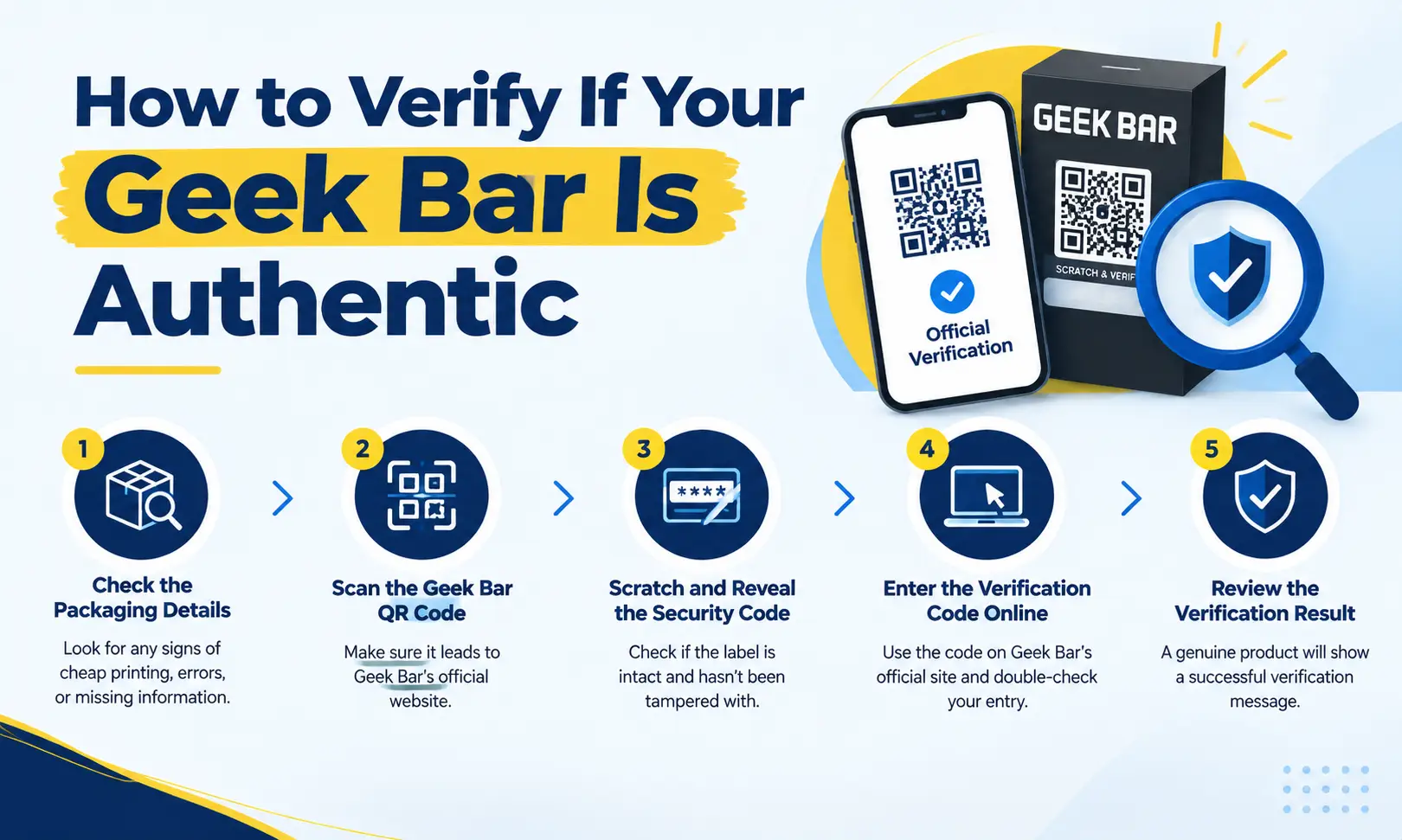
The most reliable approach is to combine Geek Bar’s official verification process with a careful inspection of the product and packaging.
1. Check the Packaging Details
Start with the box before opening the device. Counterfeit packaging can sometimes look convincing at first glance, so inspect the smaller details carefully.
Look for:
- Spelling or grammatical mistakes
- Blurry or low-quality printing
- Incorrect or distorted logos
- Unusual fonts or colors
- Poorly aligned text or graphics
- Missing warnings or product information
- Damaged, opened, or resealed packaging
Packaging designs may change over time, so a different box design does not automatically mean the device is fake. When possible, compare your packaging with current official Geek Bar product imagery.
2. Scan the Geek Bar QR Code
Locate the QR code on the packaging and scan it using your phone. Pay close attention to the website that opens after scanning.
Do not assume a page is legitimate simply because it displays Geek Bar branding. Logos and page designs can be copied. Make sure the verification process is being completed through Geek Bar’s official website.
Be cautious if the QR code:
- Redirects to an unrelated website
- Opens a suspicious-looking domain
- Produces repeated errors
- Sends you through several unexpected redirects
- Does not provide any authentication information
If you are uncertain about the page that opens, navigate to Geek Bar’s official verification page manually instead of relying on the QR-code redirect.
3. Scratch and Reveal the Security Code
Geek Bar products may include an authentication label with a covered security code. Scratch away the designated coating carefully to reveal the code underneath.
Before doing so, inspect the authentication panel. A label that already appears scratched, peeled, damaged, partially exposed, or resealed deserves closer attention.
It is similar to receiving a lottery ticket that appears to have already been scratched. You would naturally question whether somebody had accessed the information before you. The same concern applies to a disturbed authentication label.
4. Enter the Verification Code Online
Enter the revealed security code into Geek Bar’s official verification system. Carefully check every number and character before submitting it because a simple typing mistake can cause an unsuccessful result.
Using the manufacturer-provided security code gives you much stronger evidence than judging authenticity from packaging appearance alone.
5. Review the Verification Result
Pay close attention to the message displayed after submitting the code. A successful verification result provides stronger evidence that the device is genuine.
You should investigate further if:
- The code is reported as invalid
- The verification system cannot recognize the code
- The code appears to have been checked previously when you are verifying it for the first time
- The result does not match the expected Geek Bar authentication process
A counterfeit manufacturer could potentially copy a genuine security code and place it on multiple packages, which is why a previously queried code can be an important warning sign.
How to Identify a Fake Geek Bar Without Verification
Sometimes you may not be able to complete the official verification process immediately. In that situation, the following physical and performance checks can help you decide whether the product deserves further investigation.
Packaging Quality Differences
Inspect the overall printing and presentation of the box. Authentic products should generally have consistent branding, clear printing, properly positioned labels, and professional-looking packaging.
Potential warning signs include:
- Crooked or poorly applied labels
- Faded or blurry artwork
- Inconsistent fonts
- Missing authentication information
- Damaged seals
- Incorrect branding
- Conflicting product details
Whether you are checking a Geek Bar Pulse, Pulse X, Skyview, Pulse 2, or Pulse X2, several obvious packaging problems appearing together should encourage you to verify the device before using it.
Device Design and Build Quality
Once the package is opened, inspect the physical construction of the device. Check whether everything appears properly assembled and aligned.
Look closely at the:
- Device casing
- Display or screen
- Airflow openings
- Charging port
- Buttons or switches
- Seams and edges
- Printed logos and model information
A device that feels unusually flimsy, rattles excessively, has rough edges, or contains noticeably misaligned components may indicate poor manufacturing. A small cosmetic imperfection alone does not prove counterfeiting, but several construction issues combined with suspicious packaging are more concerning.
Flavor and Vaping Performance
Performance can provide additional clues, but it should not be your primary authenticity test.
Potential problems can include unusually harsh flavor, weak vapor production, immediate leaking, unexpectedly short battery life, charging problems, or inconsistent operation.
Keep in mind that product age, storage conditions, damage during shipping, and individual taste perception can also affect performance. For this reason, flavor or vapor quality alone should never be used to label a Geek Bar as fake.
Check Serial Numbers and Product Labels
Review any serial numbers, model names, batch information, security labels, and other identifiers printed on the device and packaging.
If the same information appears in multiple places, compare it carefully. Watch for:
- Missing identification numbers
- Conflicting model names
- Replacement stickers
- Poorly printed labels
- Information on the device that does not match the box
- Labels that appear copied or altered
Consistency across the packaging and device is a positive sign, while conflicting information should be investigated further.
Common Signs Your Geek Bar May Be Counterfeit
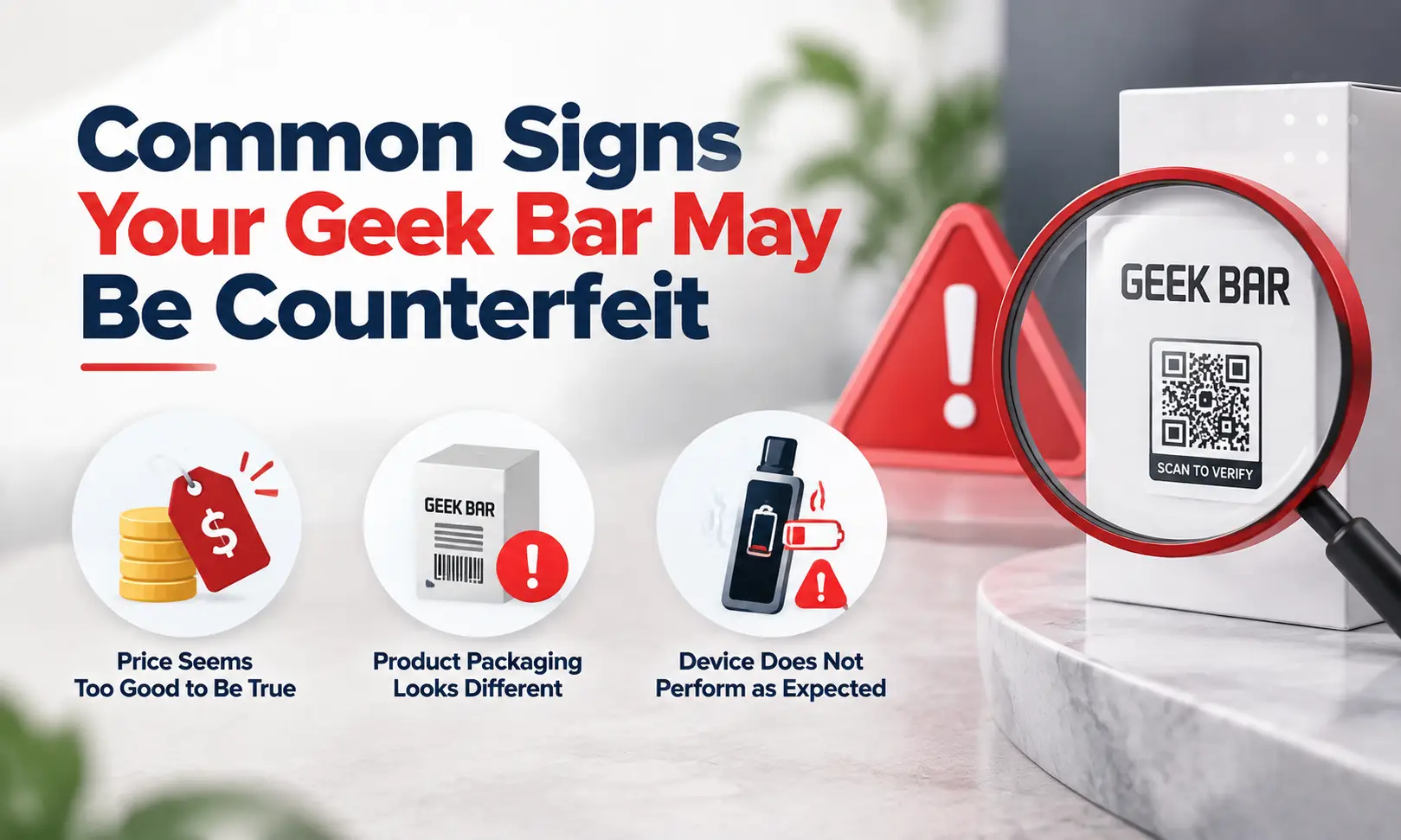
No single warning sign proves that you have a fake Geek Bar. However, the following situations should encourage you to perform additional checks.
The Price Seems Too Good to Be True
A heavily discounted Geek Bar is not automatically counterfeit, but an unusually low price can be a reason to look more closely at the seller and product.
Compare the price with other established retailers. If an unfamiliar seller is offering a popular device for dramatically less than everyone else, research the business, reviews, return policies, and product sourcing before ordering.
The Product Packaging Looks Different
Geek Bar can update its packaging, branding, and product designs, so visual differences alone are not enough to determine authenticity.
More meaningful warning signs include several inconsistencies appearing at the same time, such as blurry printing, missing security information, damaged seals, incorrect logos, unusual fonts, or poorly aligned labels.
When you are unsure, compare the packaging with current official product imagery and complete the security-code verification.
The Device Does Not Perform as Expected
Performance issues may indicate manufacturing problems, product damage, improper storage, or a counterfeit device.
Watch for issues such as:
- Unexpected leaking
- Charging failures
- Display problems
- Inconsistent airflow
- Weak vapor production
- Unreliable device operation
These problems become more significant when they occur alongside questionable packaging or an unsuccessful authentication check.
Where to Buy Authentic Geek Bar Products
Choosing where you purchase your device is another important part of reducing the risk of receiving a counterfeit.
Choose Trusted Online Vape Retailers
Adults who already use nicotine products should consider established retailers that provide clear product information and make it easy to contact customer support.
Before ordering, check for:
- Clear shipping and return policies
- Accessible customer support
- Detailed product listings
- Realistic pricing
- Independent retailer reviews
- Secure website checkout
- Consistent company information
Be cautious with anonymous marketplace listings, copied product images, vague descriptions, and sellers that provide very little information about where their products come from.
Additional Tips to Avoid Fake Geek Bars
A few extra precautions can help you identify suspicious products before and after purchasing:
- Research the seller before placing your order.
- Check independent reviews for complaints about authenticity or damaged products.
- Be cautious of prices that are dramatically lower than normal retail pricing.
- Avoid listings with copied photos or vague product descriptions.
- Inspect the packaging before opening the device.
- Complete the authenticity check as soon as the product arrives.
- Keep the packaging, receipt, and security label until verification is complete.
- Report suspected counterfeit products through Geek Bar’s official support or anti-counterfeit channels.
Following these steps gives you more evidence to work with instead of relying on appearance alone.
Conclusion
Inspect the packaging, scan the QR code, reveal and verify the security code, review the authentication result, and then compare those findings with the device’s labels, construction, and performance.
Whether you are purchasing a Geek Bar Pulse, Pulse X, Skyview, Pulse 2, or Pulse X2, authenticity should always be verified rather than assumed. Packaging can be copied, but combining official verification with careful inspection makes suspicious products much easier to identify.
If you are looking for genuine, authentic Geek Bar products, we recommend GeekBarNow.com as a dedicated destination for adult shoppers looking to explore Geek Bar vape products with various flavors options.