

BeatViz is the best fit among these five AI video tools for independent musicians who want to turn a complete song into a finished music video, while Kling 4.0 is better suited to longer performance scenes, Runway Gen-4.5 offers detailed cinematic shot control, and Google Veo 3.1 and Luma Ray3.2 serve more specialized visual production needs. The key distinction is workflow: even Kling 4.0’s newly introduced 30-second generation limit is only one-sixth of a three-minute song.
For musicians releasing singles, albums, or AI-generated tracks, choosing the best AI music video generator is no longer simply about producing impressive footage. It is about turning multiple scenes into a coherent, music-driven video that lasts from the opening note to the final chorus.
This comparison examines five tools through the practical needs of full-length music video production: song analysis, shot duration, visual consistency, creative control, lip sync, editing, and cost.
Why Full-Length AI Music Videos Are Harder Than Short Clips
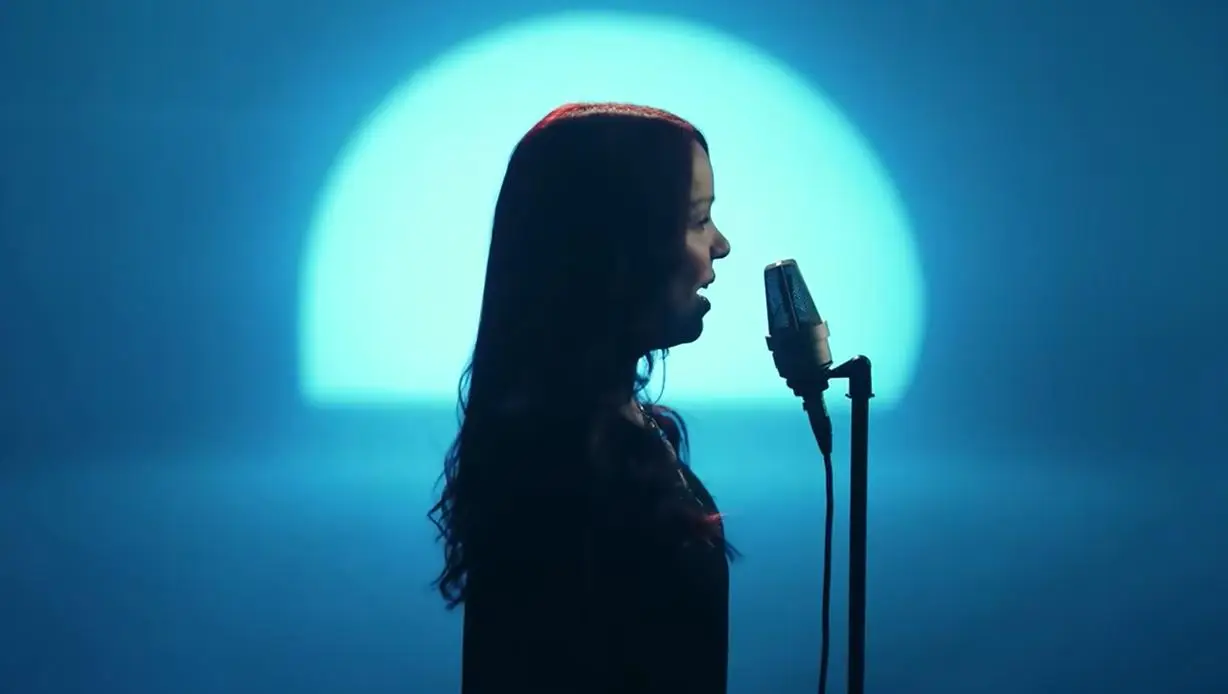
An AI-generated video can look convincing for eight seconds and still be difficult to turn into a three-minute music video.
The problem is continuity.
A complete production must connect scenes while preserving the artist’s appearance, visual style, emotional progression, and relationship to the music. A chorus might need energetic performance footage, while a quieter verse calls for slower camera movement and more intimate storytelling.
Individual video generation models can create those shots. They do not necessarily understand how each shot relates to the original recording.
This is why musicians should distinguish between two categories:
- Music-first video creation platforms: Designed to work from a song, plan visuals, manage multiple scenes, and produce a finished music video.
- General AI video generation models: Designed primarily to create individual shots or sequences from prompts, images, or other visual references.
Both approaches have value. The better choice depends on whether the musician needs a complete release-ready sequence or greater control over individual visual moments.
Best AI Music Video Generators in 2026: Quick Picks
For independent musicians working with complete songs, these five options serve different creative priorities.
- BeatViz: Best for turning full songs into complete AI music videos.
- Kling 4.0: Best for longer, character-driven performances and choreographed scenes.
- Runway Gen-4.5: Best for precisely directed cinematic shots.
- Google Veo 3.1: Best for cinematic storytelling and atmospheric sequences.
- Luma Ray3.2: Best for visual experimentation, effects, and post-production workflows.
These selections reflect product capabilities and intended workflows rather than standardized head-to-head performance testing.
How These Five AI Music Video Tools Were Compared
For full-song production, the most useful evaluation criteria are different from those used to assess a single AI video clip.
Song awareness: Can the tool work with an existing recording and help plan visuals around it?
Generation length: How much footage can one generation produce?
Character continuity: Can visual references help maintain a recurring performer’s appearance?
Creative direction: Can creators control scenes, camera movement, and visual storytelling?
Finishing workflow: Can the tool help assemble a complete video with the original music?
Cost: What happens when dozens of clips, revisions, and synchronization tasks are required?
A model with longer clip duration may reduce the number of generations required. However, that does not automatically make it more affordable or better at producing a cohesive music video.
AI Music Video Generator Comparison: Features, Length, and Pricing
| Tool | Best For | Video Duration | Full-Song Workflow | Pricing Reference |
| BeatViz | Complete music videos | Full-song projects assembled from shorter clips | Yes, music-first | Basic plan: $25.90/month |
| Kling 4.0 | Performances and dynamic action | Up to 30 seconds per generation | Requires song-level planning | Credit-based; varies by settings |
| Runway Gen-4.5 | Cinematic shot direction | 2–10 seconds | Requires additional sequencing | Standard: $15/month, or $12/month billed annually |
| Google Veo 3.1 | Cinematic storytelling | 4, 6, or 8 seconds | Requires assembly and original-audio alignment | Standard API: from $0.40/second |
| Luma Ray3.2 | Visual effects and post-production | 5–10 seconds for standard API generations; longer supported workflows | Requires song-level assembly | Luma Plus: $30/month |
Pricing and technical limits reflect publicly documented information available in October 2026. Limits may differ by model variant, subscription, interface, or generation mode. The pricing structures are not directly equivalent, and full-project costs depend on revisions and output settings.
BeatViz: Best AI Music Video Generator for Full-Length Songs
BeatViz is designed around a problem familiar to independent musicians: the song is finished, but the video production has barely begun.
Rather than starting with an isolated text-to-video prompt, BeatViz lets creators use an existing recording as the foundation of a music video project.
Its main advantage is not simply access to AI-generated footage. It is the combination of music analysis, visual planning, multi-scene generation, and timeline-based assembly within a music-oriented workflow.
From Song Analysis to a Complete Music Video
BeatViz’s Workflow mode guides users through the stages of creating a music video, beginning with song analysis and progressing through visual concepts, characters, scenes, shot designs, keyframes, and video generation.
This approach is particularly useful for artists who already know what their song should feel like but do not have the filmmaking experience to translate that vision into individual shots.
A cinematic ballad might call for atmospheric landscapes and intimate close-ups. A hip-hop track could require character-focused performances, contrasting locations, and more energetic camera movement.
Instead of prompting every visual independently, users can develop the sequence around the musical project and review important creative decisions during production.
AI Director, Workflow, and Timeline Editing
BeatViz offers three main creation approaches.
Chat, its AI Director experience, allows musicians to describe creative intentions conversationally and guide the generation process.
Workflow provides a structured process for building scenes and generating the required visual assets.
Editor offers more direct control, including arranging completed clips on a timeline, trimming footage, replacing shots, and assembling the sequence with the uploaded track.
This flexibility matters when the initial generated visuals are close to the desired result but still require adjustments.
Musicians can revisit individual shots instead of treating the entire video as one unchangeable output.
Character References and Lip Sync for Music Performances
For performance-based music videos, visual consistency is often more important than spectacular background effects.
A singer should remain recognizable across different camera angles and locations. BeatViz supports character reference images to help guide recurring appearances, although results can still vary between generated clips.
The platform also offers lip-sync functionality for eligible completed video clips, using the corresponding section of the original song to generate mouth movements.
Lip sync is a separate generation process and may consume additional credits. It is also not guaranteed to be perfect, particularly in visually complex scenes.
Best for: Independent singers, songwriters, producers, and artists who need to turn an existing recording into a complete music video without building the entire production process from scratch.
Limitations: Visual consistency and synchronization require review. Higher-quality generation settings, repeated attempts, and lip sync can increase the total project cost.
Kling 4.0: Best for Longer AI Music Video Performance Scenes
Kling 4.0 is particularly interesting for musicians who want longer continuous performances instead of constantly changing between short shots.
Released in October 2026, Kling 4.0 supports native video generation of up to 30 seconds in a single pass, a substantial increase over Kling 3.0’s 15-second limit.
The model also supports up to 10 keyframe inputs and combinations of up to 15 reference assets, offering greater control over the progression of complex scenes.
For a rock band performance, these capabilities could help direct a longer camera movement across a stage. For a dance-focused music video, keyframes provide a way to specify important visual moments within a sequence.
Kling 4.0 also supports native audiovisual generation, although generating sound alongside a video is not equivalent to automatically synchronizing an entire existing song.
Thirty-second clips can reduce the amount of source material required for a full video. Artists still need to plan the relationship between individual scenes, preserve the intended music track, and assemble the final edit.
Best for: Longer performance shots, music-video choreography, and complex camera movements.
Limitations: Full-song synchronization and sequence assembly remain separate production considerations. Pricing depends on the selected capabilities and generation settings.
Runway Gen-4.5: Best for Cinematic AI Music Video Shots
Runway Gen-4.5 is a useful option when a musician wants to direct individual shots with careful attention to camera movement, composition, and atmosphere.
The model supports text-to-video and image-to-video generation, with clip durations between two and ten seconds. Its documented native output resolution is 720p, with additional processing options available in the broader Runway environment.
Its strength lies in shot-level direction.
An artist might use Runway to create a slow tracking shot through a recording studio, a dramatic nighttime performance close-up, or a surreal transition between narrative scenes.
Runway also provides broader editing, workflow, and agent-based tools. However, those capabilities should not be confused with automatic analysis and synchronization of a finished musical recording.
Gen-4.5 uses 12 credits per second. That makes the number of generated shots and the need for retakes important budgeting considerations.
Best for: Musicians, filmmakers, and visual artists who want to direct specific cinematic moments.
Limitations: Short generation duration and additional work to arrange footage against an existing song.
Google Veo 3.1: Best for Cinematic Music Video Storytelling
Google Veo 3.1 is suitable for music videos built around atmosphere, dramatic settings, and visually distinct narrative scenes.
Through Google’s Gemini API, the model supports four-, six-, and eight-second generation options. Selected variants support 720p, 1080p, and 4K output.
Veo 3.1 also offers native audio generation, image references, and first-and-last-frame controls.
For a fantasy-inspired music video, these features can help creators develop atmospheric landscapes, character introductions, and cinematic transitions.
However, native audio generation should not be mistaken for reliable synchronization to a separately uploaded master recording.
An artist producing a video for an existing song still needs to ensure that the generated visuals are edited against the correct audio.
At Google’s published standard API rate of $0.40 per generated second for 720p or 1080p with audio, long-form projects require careful cost planning.
Best for: Cinematic storytelling, atmospheric visuals, and carefully composed individual scenes.
Limitations: Eight-second maximum standard clips, separate song alignment, and potentially substantial generation costs.
Luma Ray3.2: Best for Experimental Music Video Visuals
Luma Ray3.2 focuses on detailed visual direction and professional post-production workflows.
Its capabilities include multi-keyframe controls, HDR generation, video modification, and high-quality export options designed for further editing.
Luma’s Ray3.2 announcement describes supported workflows reaching up to 20 seconds at 1080p, while its standard video-generation API lists five- and ten-second duration options.
The model is particularly relevant for experimental electronic music, visual effects, stylized transitions, and projects combining existing filmed footage with AI-generated elements.
Rather than replacing the entire music-video production process, Ray3.2 can serve as a specialist tool for creating and refining particular visual sequences.
Its post-production orientation may be more valuable to experienced editors than to musicians looking for a largely guided song-to-video workflow.
Best for: Experimental visuals, existing-footage transformations, and post-production-focused projects.
Limitations: The available generation duration depends on the workflow, and a complete song still requires visual planning and final assembly.
How Many AI Video Clips Are Needed for a Three-Minute Song?
A three-minute song contains 180 seconds of music. The number of video generations needed depends on the chosen shot duration.
| Average Generated Clip | Theoretical Minimum Clips |
| 5 seconds | 36 |
| 8 seconds | 23 |
| 10 seconds | 18 |
| 20 seconds | 9 |
| 30 seconds | 6 |
These figures assume uninterrupted visual coverage, usable outputs, and no overlapping footage. They are planning estimates, not tested production requirements.
In practice, a compelling music video rarely uses every generated shot at its maximum duration.
A fast chorus may benefit from multiple short cuts, while a quiet bridge might hold one composition for considerably longer.
For example, generating 18 ten-second clips with Runway Gen-4.5 would require 2,160 credits at its documented rate of 12 credits per second, before failed takes or revisions.
This illustrates an important production principle: fewer generations do not necessarily produce a better music video, but knowing the required shot count helps control the budget.
How to Choose the Best AI Music Video Generator for Your Song
The right choice depends on which part of the production process is most difficult.
For a complete music video: Choose a music-oriented platform such as BeatViz when the priority is working from an existing song through planning, generation, and final assembly.
For longer live-performance sequences: Kling 4.0’s extended generation length and reference controls make it worth considering.
For highly directed cinematic shots: Runway Gen-4.5 provides detailed prompt-based control over individual scenes.
For dramatic storytelling: Veo 3.1 offers flexible cinematic generation with reference and composition controls.
For experimental visuals and post-production: Luma Ray3.2 offers a specialized creative workflow.
Budget should also influence the decision. Compare the cost of an entire finished video, including unused takes and editing work, rather than judging a product by its cheapest advertised generation.
How to Create a Full-Length AI Music Video From a Song
A practical process begins before generating any footage.
Step 1: Choose the Final Recording
Use the version of the song intended for release. Changing the arrangement after generating visuals can create additional editing work.
Step 2: Divide the Song Into Musical Sections
Identify the intro, verses, choruses, bridge, and outro. Mark important lyrics, instrumental breaks, and transitions.
Step 3: Create a Consistent Visual Direction
Decide which characters, locations, costumes, and visual styles should recur. Prepare reference images where the selected tool supports them.
Step 4: Generate the Most Important Scenes First
Start with the chorus, principal performance shots, and other visually demanding sections. Review them before committing to a complete batch.
Step 5: Assemble, Synchronize, and Review
Arrange the footage against the original track. Check changes in performer appearance, transitions, mouth movements, and the overall emotional pacing.
This approach reflects the broader shift toward practical AI-assisted creative production discussed in Gigwise’s feature, Smarter Sessions: How AI Is Transforming Music Production.
Frequently Asked Questions
What is the best AI music video generator for full-length songs?
BeatViz is a strong choice among these five tools for independent musicians who need a music-first workflow. Its music analysis, AI Director, guided Workflow, and Editor are designed to help creators develop a complete music video rather than only generate isolated footage.
Can AI generate a complete three-minute music video?
Yes. A complete three-minute AI music video can be assembled from multiple generated clips. The important distinction is whether the platform manages that production workflow or requires the creator to handle the editing and song alignment separately.
Can Kling 4.0 generate an entire music video in one clip?
Not a typical three-minute music video. Kling 4.0 supports up to 30 seconds of native video generation per output. A longer music video still requires multiple sequences or additional extension and editing steps.
Which AI music video generator supports lip sync?
BeatViz includes lip-sync functionality for eligible generated clips. Other video models may generate audiovisual performances, but their native audio capabilities should not automatically be interpreted as precise synchronization with a previously recorded song.
How much does a full-length AI music video cost?
The cost depends on song duration, generation settings, credit rates, and revisions. A low-cost short clip does not establish the price of an entire music video. Artists should calculate the expected number of shots and reserve additional budget for regeneration and lip sync.
Can I turn an existing MP3 into an AI music video?
Yes. BeatViz supports uploading an existing audio file for music video creation. Musicians using general video models can also build a video around an MP3, but they usually need a separate process to plan scenes and align generated footage with the recording.
Final Verdict: What Is the Best AI Music Video Generator for Complete Songs?
For independent musicians who already have a finished track, BeatViz is the most directly suited of these five options to the complete song-to-music-video workflow.
Kling 4.0 offers longer generations, Runway Gen-4.5 gives creators detailed cinematic shot control, Veo 3.1 supports atmospheric storytelling, and Luma Ray3.2 provides specialized visual production capabilities.
The choice ultimately comes down to the desired result.
If the goal is a particular cinematic shot, a general AI video model may be the right tool. If the goal is a coherent music video covering an entire song, music analysis, visual continuity, editing, and assembly matter just as much as the quality of individual generated frames.