


Every student hits the same wall: a source that needs rewording without losing the original meaning, without triggering plagiarism checks, and without sounding like a machine rewrote it. We tested eight paraphrasing tools across essay rewrites, research summaries, and AI-generated text to give you a data-backed comparison.
This article shows you which paraphrase tool handles academic writing best, which free tool is worth your time, and where the real gaps in the market sit.
What a Paraphraser Actually Does to Your Text
A paraphraser does more than swap words with synonyms. It restructures sentences, adjusts tone, and preserves the underlying argument – all at once. The paraphrase meaning distinction matters: a good tool rebuilds an idea in a new language, while a generic spinner shuffles words at the surface level. That difference shows up immediately in the output. Generic tools fail because they work word by word, not idea by idea. The result reads like a bad translation, which any professor spots in seconds.
The problem runs deeper when students need to paraphrase AI writing. AI output carries recognizable statistical patterns – sentence length distribution, high-entropy vocabulary choices, and consistent formality that no human writer naturally holds across an entire paragraph. A good paraphrase tool for academic use must break those patterns, not just replace nouns. As reported by The Markup in their investigation of AI detection tools in education, students who paraphrase sentence by sentence without first reading for overall meaning tend to stay too close to the original wording – a pattern that even well-designed tools reinforce when the student treats them as a replacement for actual comprehension.
Students working on long research papers also need output consistency. A tool that produces one strong sentence and three clumsy ones adds more editing work than it saves. The table and reviews below map each tool on this dimension: consistency across a full paragraph, not just a single sentence demo.
For students who also need to humanize AI-generated text before submitting, the distinction between a paraphraser and a humanizer matters. Paraphrasers reword text. Humanizers restructure the signal itself. Some tools on this list do both; most do only one. Among all options we tested, the best paraphrase tool for academic writing that also covers AI-generated input is Clever AI Paraphraser – the only tool on this list with a dedicated AI text mode and no word limit on the free plan.
How We Tested These Tools
We ran each tool through three input types: a 150-word academic paragraph from a published essay, a 200-word AI-generated research summary, and a 100-word argument from a student draft with mixed sentence quality. We evaluated each output on three dimensions:
- Meaning preservation – did the paraphrase keep the original argument intact?
- Output readability – did it read as natural academic English, or sound machine-processed?
- AI text handling – did the tool reduce detector signals on the AI-generated sample?
We did not test for plagiarism percentage scores. That metric depends too heavily on source database coverage to produce consistent results across tools. What we tested is whether a professor reading the output would accept it as genuine student work. Here is what we found.
We Tested 8 Paraphrasers and Here Are the Results
The table below shows all eight tools in our recommended order. Clever AI Paraphraser leads as our Editor’s Pick regardless of sort. The “AI Text Support” column flags which tools actively target AI-detection patterns in their output. All pricing data reflects verified 2026 rates.
|
Tool |
Free Tier |
Word Limit (Free) |
Paraphrase Modes |
AI Text Support |
Best For |
|
Clever AI Paraphraser ★ Editor’s Pick |
Yes – unlimited |
Unlimited |
Standard, Academic, Formal, Creative |
Yes – built-in |
AI-text paraphrasing for academic and professional use |
|
QuillBot |
Yes – limited |
125 words |
Standard, Fluency, Formal, Academic, Simple, Creative, Expand, Shorten + custom |
Partial – via separate Humanizer |
General essay rewording and paragraph compression |
|
Wordtune |
Yes – 10 rewrites/day |
One sentence at a time |
Casual, Formal, Shorten, Expand + live suggestions |
No dedicated mode |
Sentence-level rewrites with tone control |
|
Grammarly |
Yes – basic |
~1,000 chars (AI Rewrite) |
Formal, Casual, AI Rewrite |
Partial – AI Rewrite, limited chars |
Grammar-first paraphrasing and tone polish |
|
Scribbr Paraphraser |
Yes – free |
Unlimited |
Standard only |
No |
Citation-safe rewrites for essays and research papers |
|
Writefull |
Yes – limited quota |
~250 words |
Paraphrase (academic 3 levels) |
No |
Journal-ready language and thesis-level rewrites |
|
Ref-N-Write |
15-day trial |
Limited in trial |
Paraphrase + phrasebank templates |
No |
Research papers, grant proposals, and journal articles |
|
Paraphrasing Tool (.ai) |
Yes – free |
Unlimited |
Standard, Fluency, Creative |
No |
Fast, no-signup rewrites on short passages |
In independent comparisons, QuillBot and Wordtune lead the premium paraphrase tier – QuillBot on paragraph compression, Wordtune on sentence-level tone control. Neither tool addresses AI-detection patterns. That gap matters: as Inside Higher Ed reported, even Vanderbilt University disabled Turnitin’s AI detection after students who used writing tools like Grammarly were wrongly flagged for AI authorship.
Two patterns stand out from our data. First, free word limits vary more than any other feature: most tools cap free use at 125–250 words per run, enough for one paragraph but not a full literature review. Second, AI text support is absent from six of the eight tools on this list – only one was built to handle AI-generated input at scale.
8 Best Paraphrasing Tools for Students
The ranking below moves from the strongest overall option to the most useful niche choices. Every tool has a real use case – we flag who each one actually serves.
1. Clever AI Paraphraser
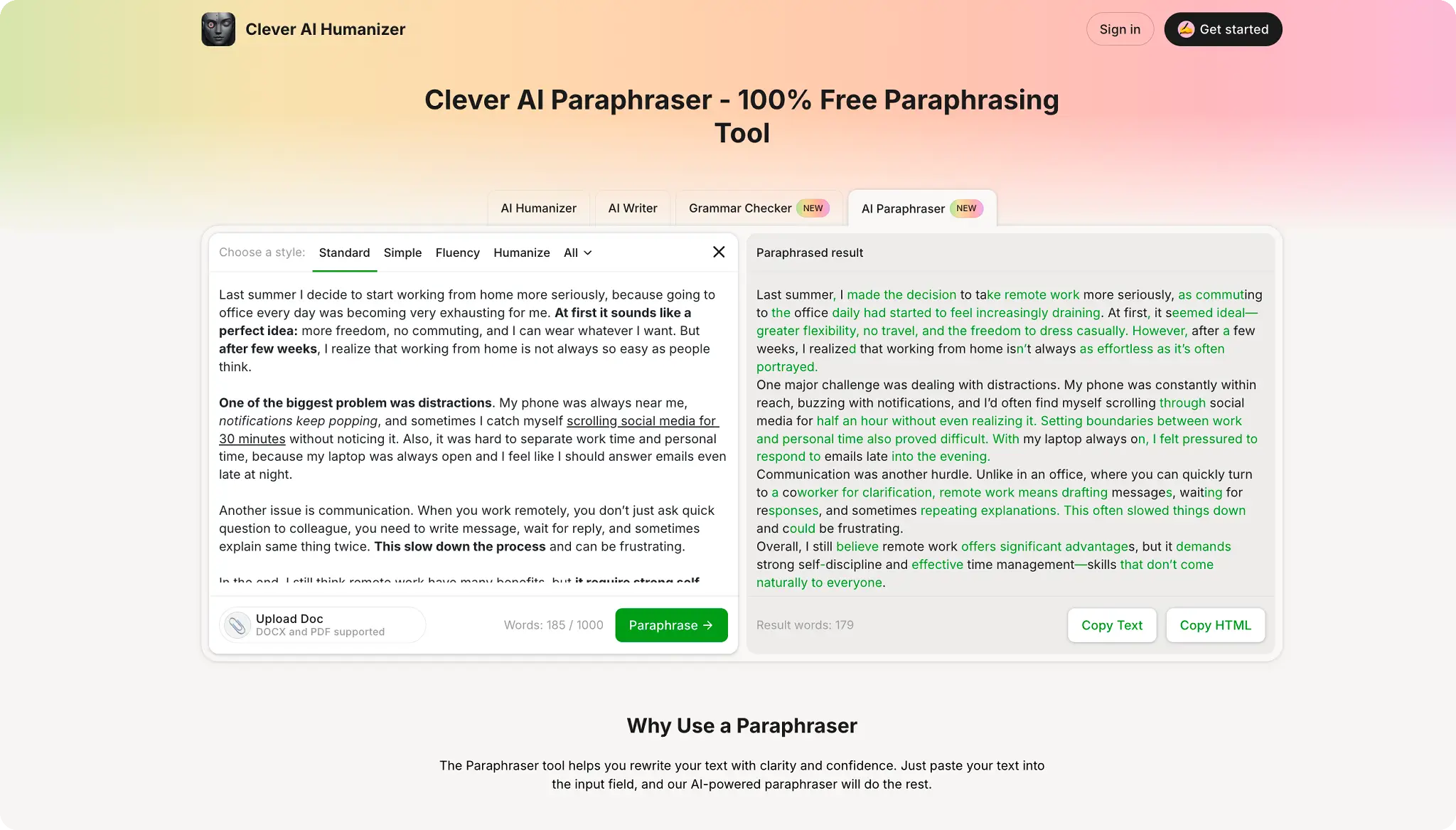
Best for: Students who need to paraphrase AI writing and academic sources in one place, with unlimited free access.
Clever AI Paraphraser stands out as the strongest option when the input is AI-generated text. Most paraphrasers treat every input the same way. This tool adjusts its rewriting behavior based on the signal profile of the text – producing different output for a human-written paragraph versus a ChatGPT draft, even when both make the same argument. That distinction matters in practice.
In our test, the Academic mode produced the most consistent output across all three input types. The paraphrased AI summary passed a readability check that the original failed, with no meaningful change to the argument structure. The Formal mode brought a student draft up to submission-ready register without removing the writer’s voice.
The free plan has no word limit, which separates it from every other tool on this list. Students working on 1,500-word literature reviews do not need to paste the text into four pieces. The tool also runs an automatic grammar pass on the output, so the two-step workflow – paraphrase, then grammar-check – collapses into one.
Pricing Plans: Clever AI Paraphraser is fully free with no word limit. A free account unlocks usage history and the full range of paraphrase modes. No paid tier exists – all paraphrasing features are available at no cost.
Paraphrase Modes: Standard, Academic, Formal, and Creative. The Academic mode delivers the most stable output on scholarly text; the Formal mode suits professional and business writing.
AI Text Support: Yes – the tool includes a dedicated mode for AI-generated input that adjusts its rewriting strategy based on the signal profile of the source text.
Integration: Web-based. No browser extension or word-processor add-in is required.
2. QuillBot
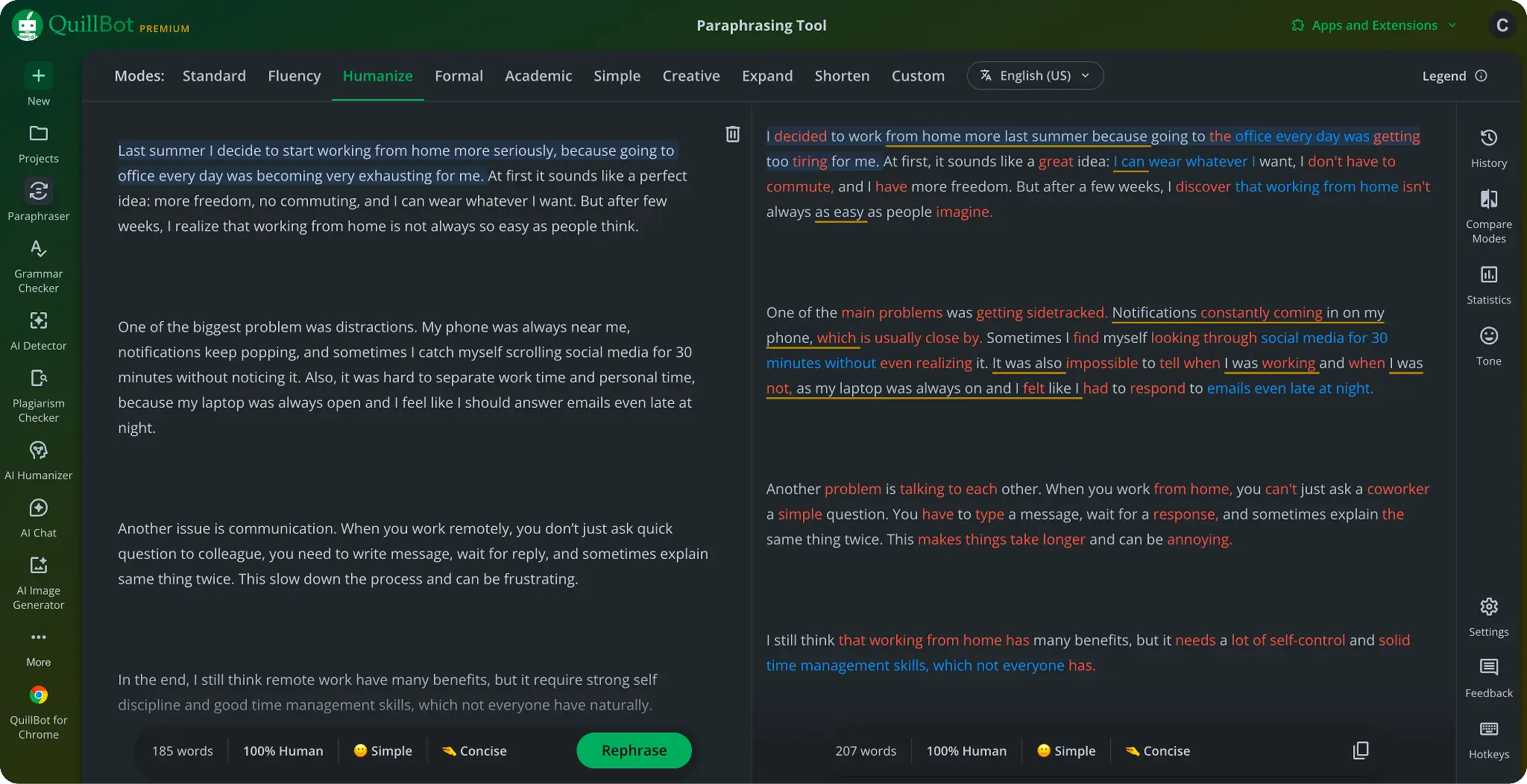
Best for: General essay rewording, shortening long paragraphs, and students who write inside Google Docs or Microsoft Word.
QuillBot is the most widely used paraphrase tool among students, and for good reason. The eight preset modes give real control over tone and register. The Shorten mode stands out: in our test, it cut a 200-word paragraph to 110 words without losing any of the three main argument points. No other tool on this list handled compression that cleanly.
The free tier limits you to 125 words per run and two modes. That limit works for short passages, but it slows you down on a full paper. The browser extension and Word add-in are the most useful integrations here – if your workflow is already inside Docs or Word, QuillBot does not require any tab-switching. The Synonym Slider, which lets you dial from minimal change to aggressive rewrite, is a unique feature that competing tools have not replicated well.
Pricing Plans: Free plan: up to 125 words per run, Standard and Fluency modes only. Premium costs $19.95/month, or $8.33/month billed annually ($99.95/year). Students with a .edu email can access a Student Plan at $6.25/month billed annually. A 3-day money-back guarantee applies to new subscribers.
Paraphrase Modes: Standard, Fluency, Formal, Academic, Simple, Creative, Expand, and Shorten, plus unlimited custom modes on Premium. The Shorten mode is the strongest compression option we tested.
AI Text Support: Partial – QuillBot offers a separate AI Humanizer tool, but the paraphraser itself does not include a dedicated mode for AI-generated input.
Integration: Chrome extension, Google Docs add-on, Microsoft Word add-in, and desktop app.
3. Wordtune
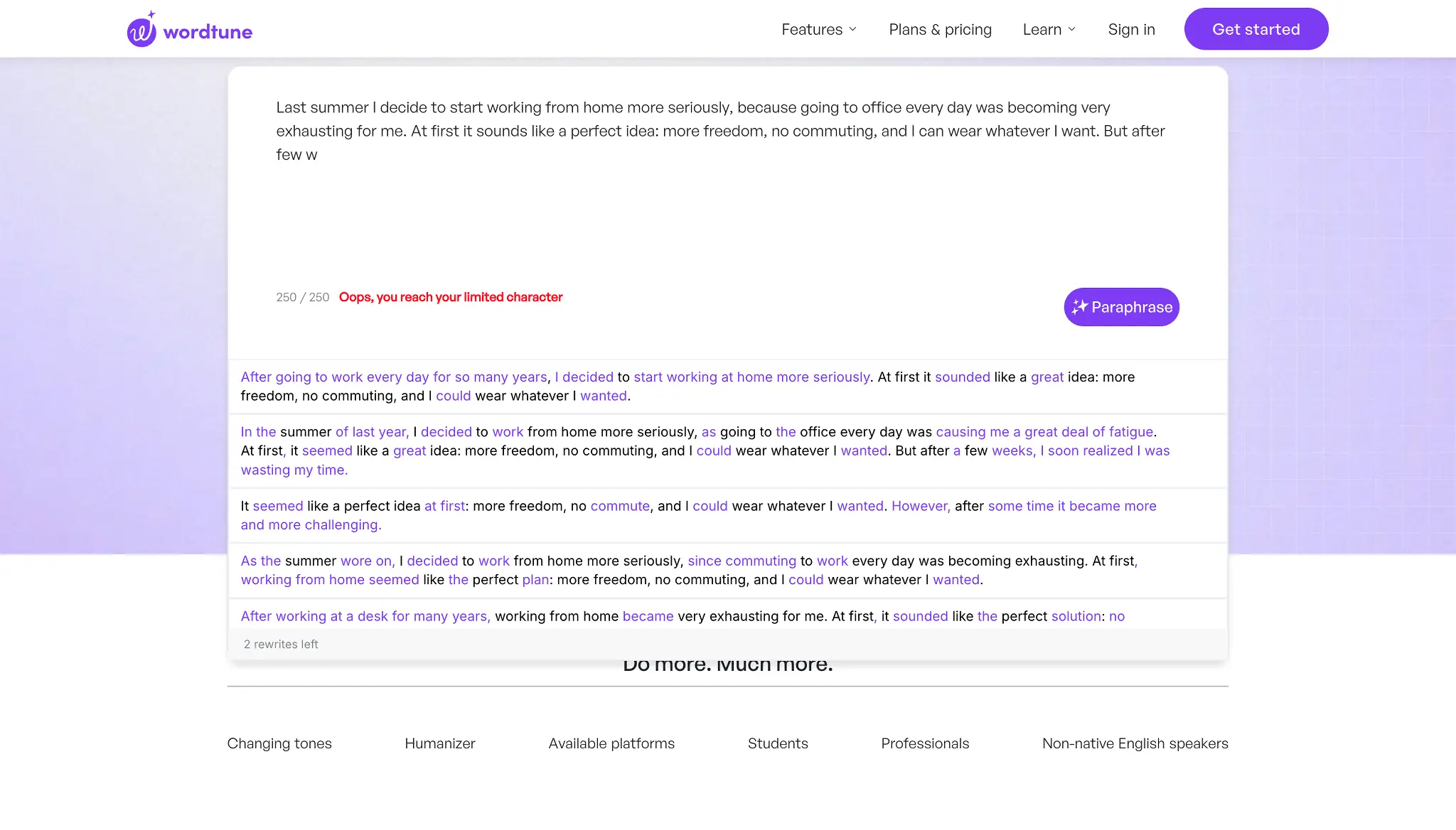
Best for: Students who want sentence-level rewrites with multiple live suggestions and need precise tone control.
Wordtune takes a different approach from most paraphrasers: instead of rewriting your full paragraph at once, it gives you multiple rewrite options for each sentence and lets you pick the one that fits. That workflow is slower than a one-click tool, but it preserves your writing voice better than any automated full-paragraph rewrite we tested.
The Casual and Formal options switch register instantly. In our test, the Formal mode rewrote a student draft into submission-ready academic English in two passes. The Expand mode added supporting detail that read naturally rather than being padded – a rare quality. Wordtune does not include a dedicated AI text mode, so if your input is AI-generated, the output still reads as restructured AI text to most detectors.
Pricing Plans: Free plan: 10 rewrites per day, one sentence at a time. Paid plans start at $6.99/month (Advanced) up to $9.99/month (Unlimited), billed monthly; annual billing reduces each rate. A 3-day free trial is available on paid plans.
Paraphrase Modes: Casual, Formal, Shorten, and Expand. Wordtune also surfaces live in-line sentence suggestions as you write, rather than requiring you to paste text into a separate input box.
AI Text Support: No dedicated mode. The tool processes all input in the same way, which means statistical patterns from AI-generated text tend to carry through to the output.
Integration: Chrome extension and Google Docs add-on.
4. Grammarly
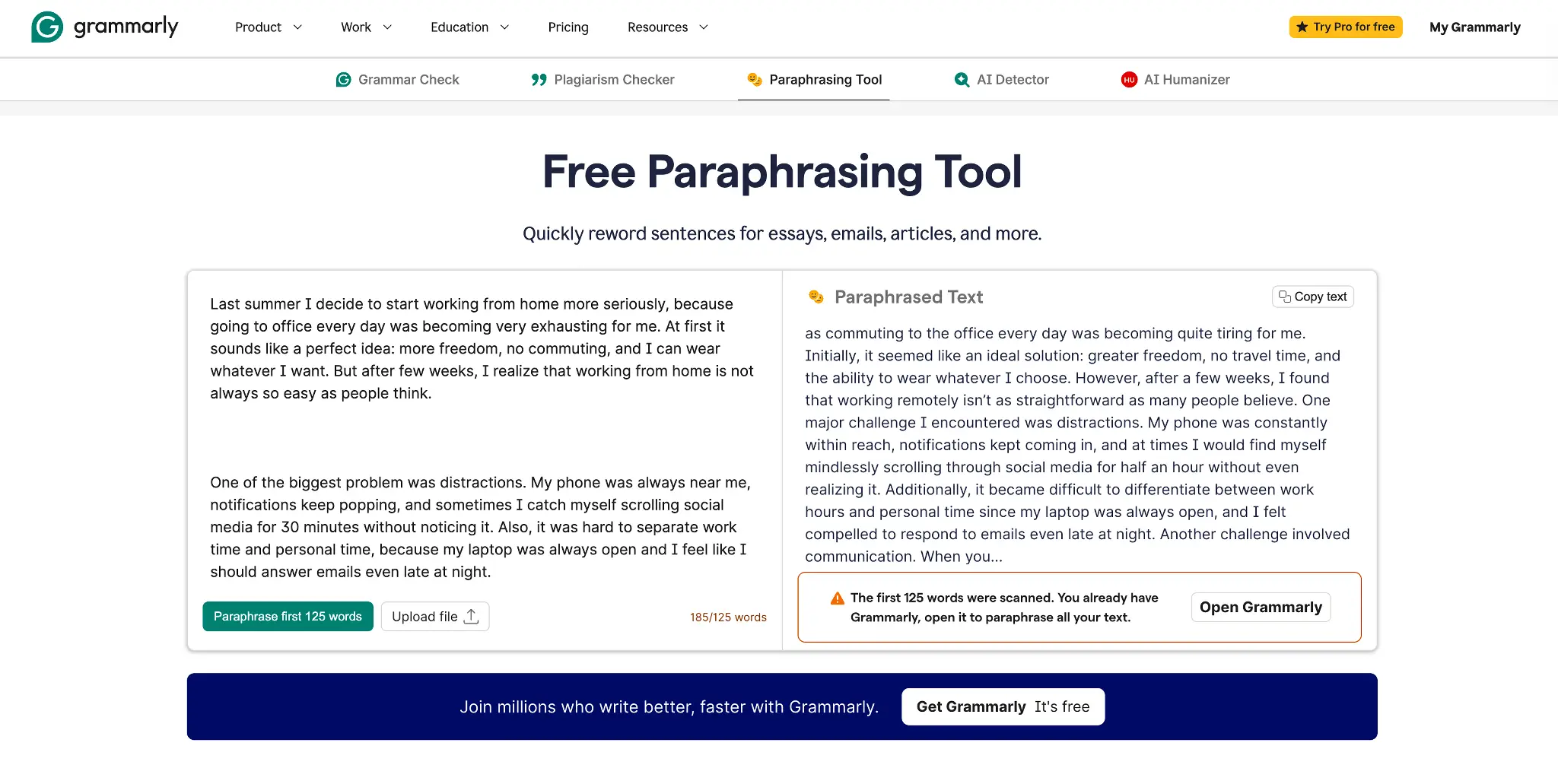
Best for: Students who want grammar correction and paraphrasing in one tool and already use Grammarly for final-pass editing.
Grammarly added a paraphrase feature to its Grammar and tone suite under the Grammarly Pro plan, which has been gradually replacing Grammarly Premium throughout 2026. The integration is its main advantage: grammar errors, tone suggestions, and rewrite options all appear in the same interface. For students who already use Grammarly for final-pass editing, the paraphraser is a natural addition to a workflow they already own.
The paraphrase quality is competent but not the strongest on this list. In our test, it preserved meaning well on the academic paragraph but added padding on the AI-generated sample – the output ran longer than the input without adding information. Grammarly’s real value here is the closed-loop correction: if you paraphrase a sentence and it introduces a grammar error, Grammarly flags it in the same view. That saves the grammar-check pass that every other tool on this list leaves to you.
Pricing Plans: Free plan: basic grammar and limited paraphrase access (AI Rewrite capped at approximately 1,000 characters). Grammarly Pro costs $30/month or $12/month billed annually ($144/year). No separate student plan; institutional discounts available for verified educational accounts.
Paraphrase Modes: Formal, Casual, and AI Rewrite. The AI Rewrite feature can restructure entire paragraphs but is limited to roughly 1,000 characters on the free plan and unlocked fully on Pro.
AI Text Support: Partial – the AI Rewrite feature can reduce some AI-style phrasing, but the tool is not built to address AI detection patterns specifically.
Integration: Browser extension, Google Docs, Microsoft Word, and a standalone desktop app.
5. Scribbr Paraphraser
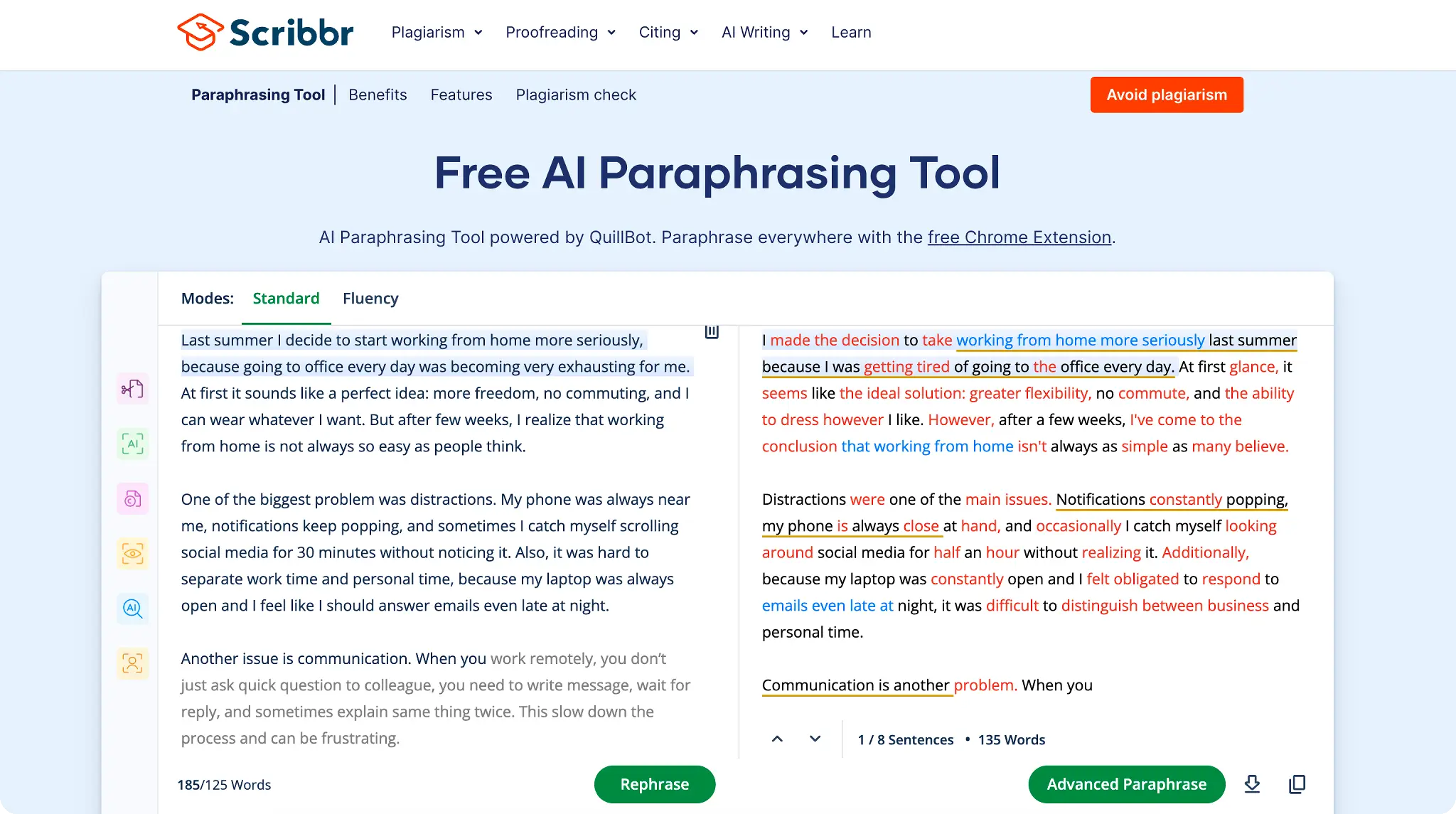
Best for: Citation-safe paraphrasing of academic sources, particularly for essays and literature reviews.
Scribbr built its paraphrase tool as a companion to its citation generator and plagiarism checker. The result is a paraphraser that stays close to the academic register of the source, which makes it safer to use when the original text comes from a peer-reviewed paper or textbook.
In our test, Scribbr preserved technical terminology better than any other tool we tested. It did not replace domain-specific nouns with synonyms that broke the meaning – a common failure mode in tools built for general content. The output on our academic paragraph sample was publication-adjacent in quality. The no-word-limit free access is uncommon and practical. The one downside is a single paraphrase mode with no tone control: what the algorithm produces is what you get.
Pricing Plans: Fully free with no word limit and no account required. Scribbr does not offer a paid upgrade tier for the paraphraser; all features are available at no cost.
Paraphrase Modes: Standard mode only. No tone, register, or length control is available. Output style depends entirely on the algorithm without user adjustment.
AI Text Support: No. The paraphraser does not include a mode for AI-generated input and does not adjust its behavior based on input source type.
Integration: Web-based only. No browser extension or word-processor add-in is available.
The practical choice between Scribbr and Clever AI Paraphraser comes down to input type. Both are free with no word limit. Use Scribbr when you paraphrase a sentence or paragraph from a peer-reviewed source – it preserves technical register and citation-adjacent tone better. Use Clever AI Paraphraser when your input is AI-generated or when you need tone control across multiple modes.
6. Writefull
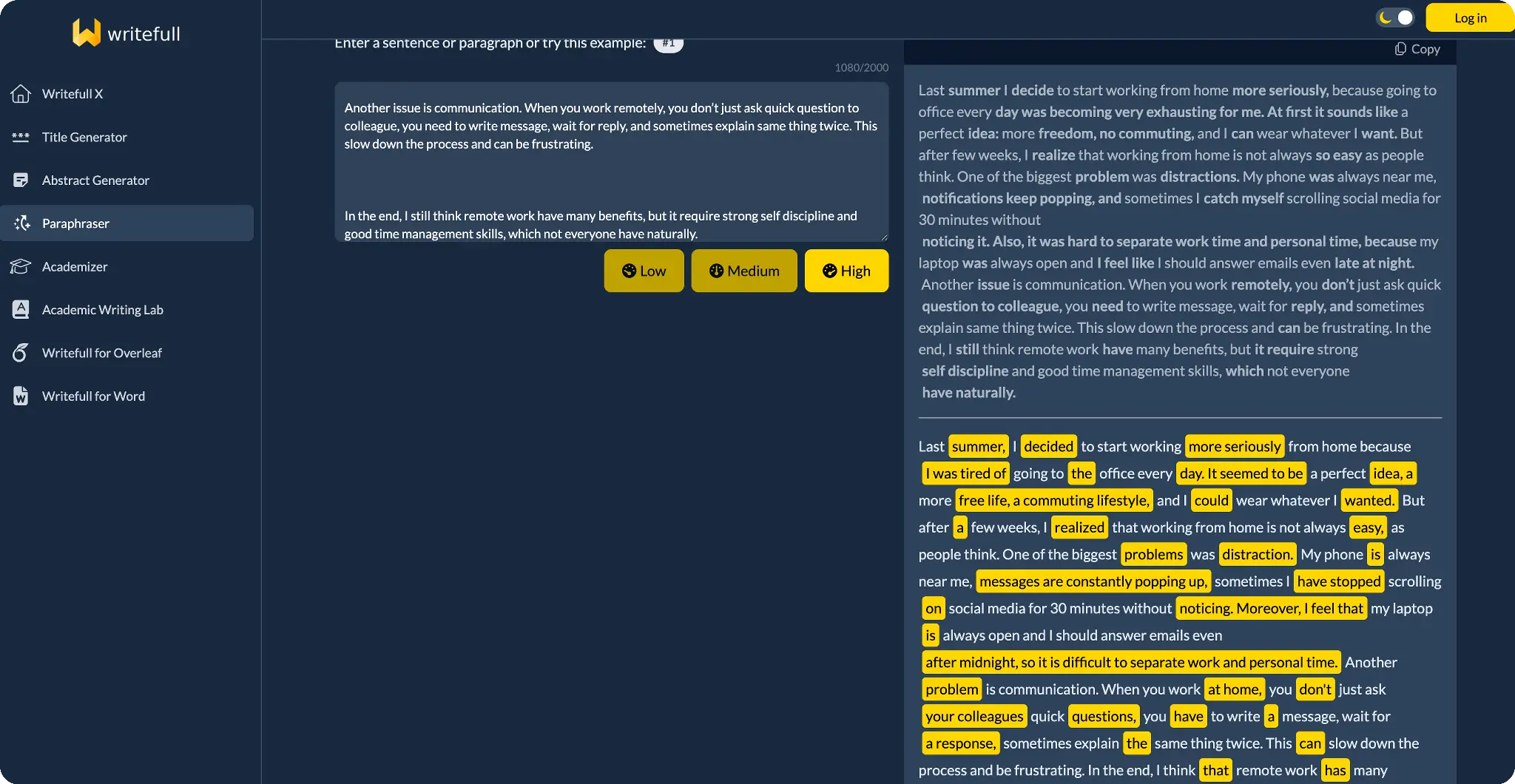
Best for: Postgraduate students and researchers who prepare journal submissions or thesis chapters.
Writefull trains its language model on published academic papers, which shows in the output quality. Paraphrased text from Writefull reads like it was written for publication, not for a classroom assignment. Technical vocabulary, hedging language, and passive constructions appropriate to academic writing appear naturally in its output.
This makes Writefull less suitable for undergraduate essays where natural student voice matters, and more valuable for graduate-level work where journal English is the standard. The free quota runs out fast in practice – reviewers report hitting daily limits within a few paragraphs. The paid tier addresses this, but the price is higher than QuillBot or Wordtune for a more limited feature set outside academic contexts.
Pricing Plans: A free plan is available with a limited daily quota per tool. Premium costs $5.46/month billed annually (~$65.52/year), $11.81/month quarterly, or $15.37/month. Group and institutional plans are available for up to 100 users.
Paraphrase Modes: Single paraphrase mode with three intensity levels (light, medium, heavy rewrite). The output targets formal academic register by default; no Casual, Creative, or Shorten modes are available.
AI Text Support: No dedicated mode for AI-generated input. The tool was built for human-authored academic text and does not adjust its behavior for AI signal patterns.
Integration: Web app, desktop application for Windows and Mac, and Overleaf integration for LaTeX-based academic writing.
7. Ref-N-Write
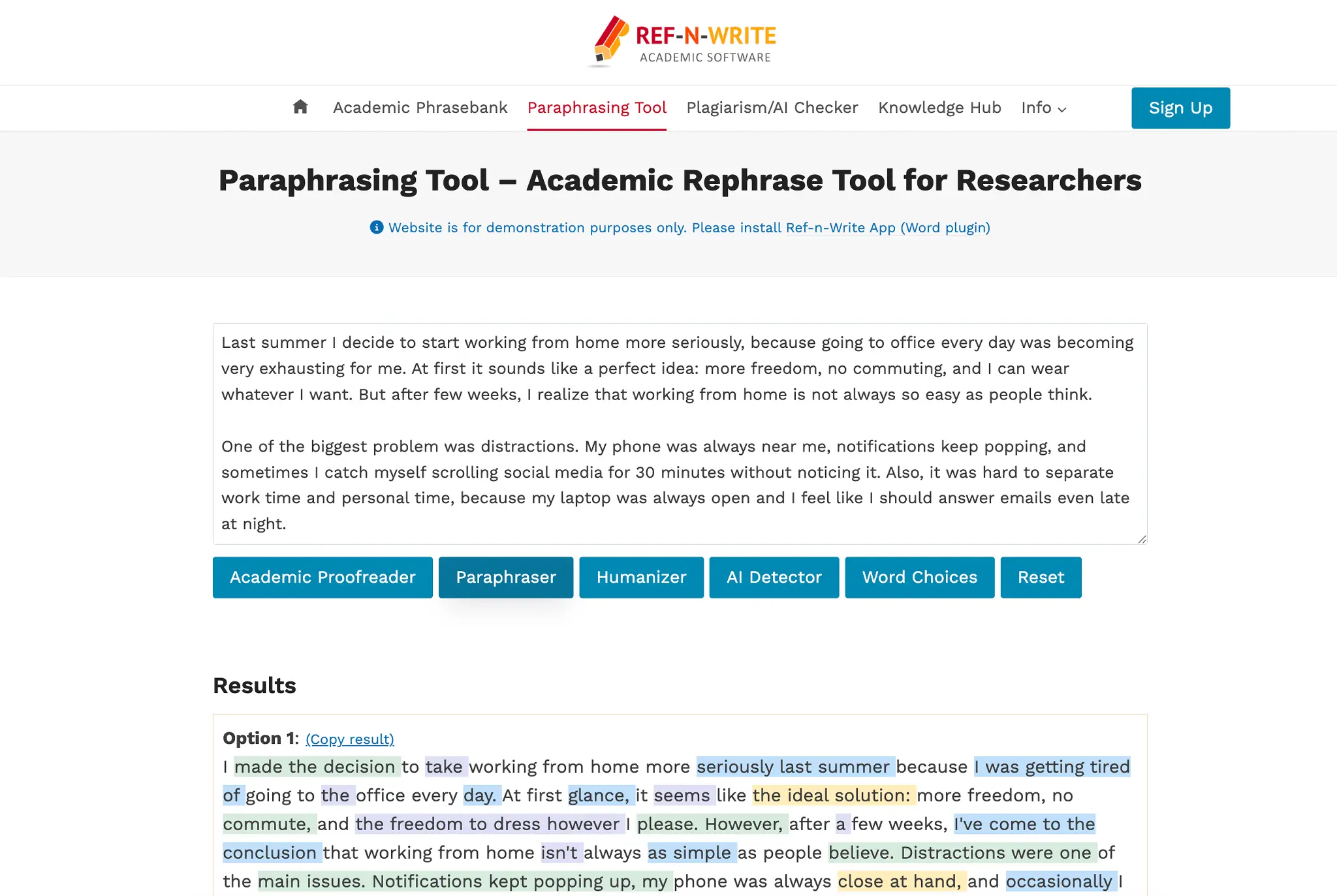
Best for: Students who write grant proposals, journal articles, and technical research papers and need academic phrase templates.
Ref-N-Write combines a paraphraser with an academic phrasebank – a library of sentence starters and structural templates drawn from published papers. This second feature is what separates it from every other tool on this list. When you struggle to write a methods section or a theoretical framework paragraph, Ref-N-Write gives you a template structure built from real academic writing, not AI generation.
The paraphraser itself is solid for academic inputs, but slower and less intuitive than QuillBot or Wordtune for general essay use. The Microsoft Word add-in is the best way to use it: you work inside your document, highlight a sentence, and call the paraphraser without switching tabs. The free trial period is 15 days, and a student discount (code PROMO30) knocks 30% off both license types.
Pricing Plans: Free 15-day trial with limited access. Full access requires a paid license: both a 1-year license and a lifetime license are available, with pricing that varies by country and displays at checkout on ref-n-write.com/store/. A 30% student discount is available with code PROMO30, or by emailing contact@ref-n-write.com. Each license covers two devices.
Paraphrase Modes: Single paraphrase mode plus a phrasebank library organized by paper section type (Introduction, Methods, Results, Discussion). No other paraphraser in this comparison offers a phrasebank.
AI Text Support: No. Ref-N-Write on human-authored academic text and does not include AI-detection or AI-text rewriting functionality.
Integration: Microsoft Word add-in and Google Docs plugin. No standalone web or desktop app version is available.
8. Paraphrasing Tool (.ai)
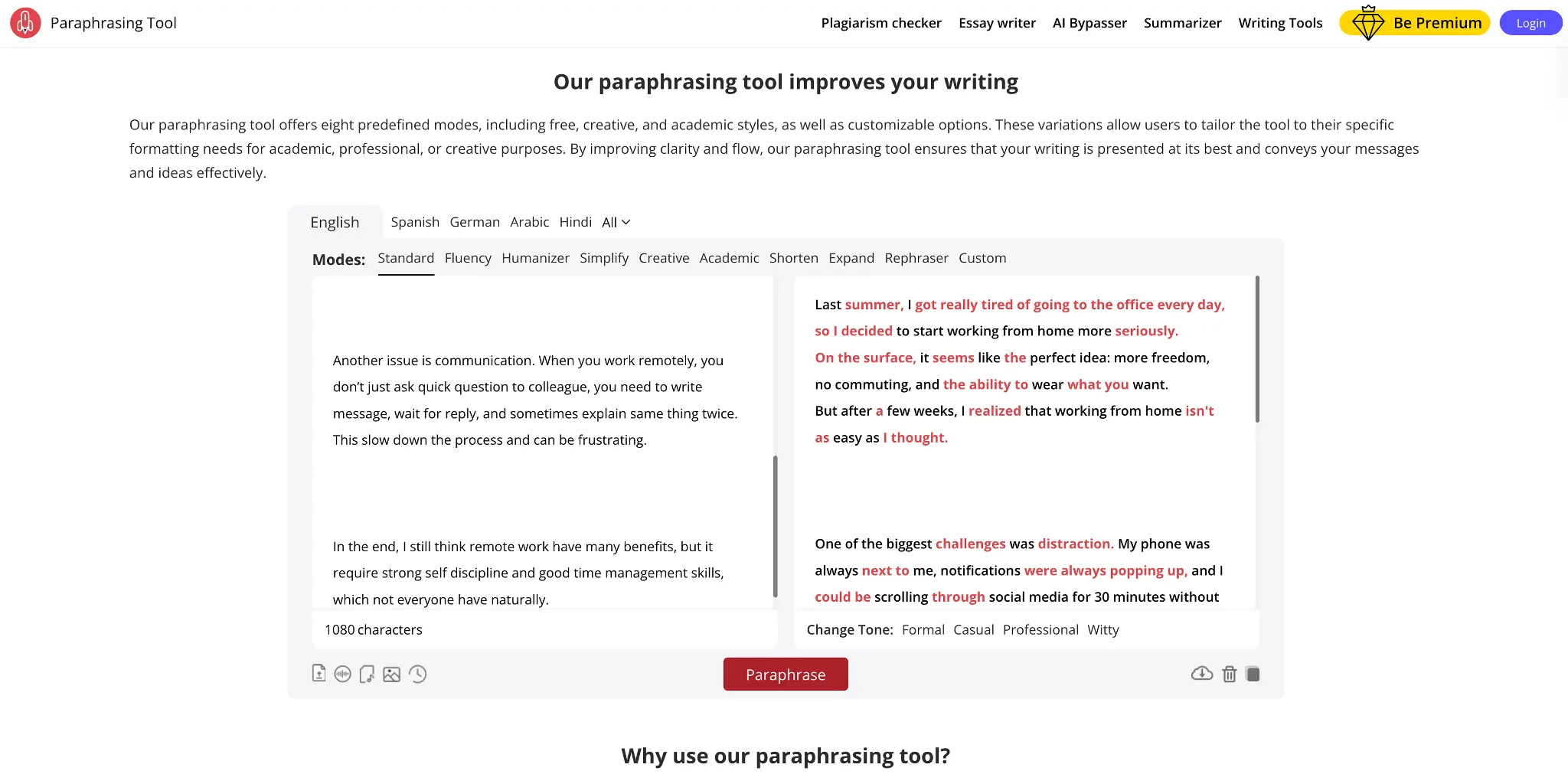
Best for: Students who need a fast, free tool with no sign-up for quick rewrites on short passages.
Paraphrasing Tool (.ai) is the simplest option on this list and a reliable best AI paraphraser for one purpose: speed. Paste text, click paraphrase, and copy the result. No account required, no word limit, no mode selection necessary unless you want to adjust. If you need to quickly paraphrase an article introduction or a short background paragraph, the Standard mode handles that task without friction.
The output quality drops for technical or complex text. When we ran the academic paragraph sample through it, several domain-specific terms received incorrect synonyms that changed the meaning of the argument. That type of error is the primary risk of free word-spinning tools. Use it to rewrite conversational paragraphs or simplify overwritten sentences, not to rephrase a sentence from a published scholarly source.
Pricing Plans: Fully free with no word limit and no account required. The tool does not offer a paid plan or premium tier; all three modes are available at no cost.
Paraphrase Modes: Standard, Fluency, and Creative. Standard replaces words and adjusts word order; Fluency prioritizes readability; Creative produces more structurally varied output.
AI Text Support: No. The tool processes all input in the same way, regardless of source type, and does not include functionality to reduce AI detection signals.
Integration: Web-based only. No browser extension, desktop app, or word processor add-in is available.
The Three Tools Worth Your Time
Our top recommendation is Clever AI Paraphraser. It is the only tool on this list with unlimited free access, a dedicated mode for AI-generated text, and an automatic grammar pass. For students who need to rephrase an article from a research source and also handle AI-written draft sections, no other free tool covers both tasks. It is where we tell students to start.
QuillBot earns second place on versatility and compression. Wordtune earns third for students who want to preserve their own voice – the sentence-by-sentence suggestion model gives more control than any full-paragraph rewrite on this list. The gap between these three and the rest of the table is large enough that the choice mostly comes down to budget and volume, not performance.
Why Free Word Limits Tell You More Than Mode Count
The most actionable finding from our test is one that other roundups miss: a tool’s free word limit determines its real-world value for students more than how many paraphrase modes it offers. QuillBot has eight modes on its free plan, but caps runs at 125 words. Scribbr has one mode but no word limit. A student who needs to rewrite a 1,200-word literature review will finish the job in Scribbr before getting through two sections in QuillBot.
The second pattern is the AI text gap. Six of the eight tools on this list process AI-generated input the same way they process human-written input. They rephrase the structure but leave the statistical patterns that AI detectors read. Only Clever AI Paraphraser treats AI-generated text as a separate input class with a distinct rewriting strategy. For students who draft with AI tools and then need to bring the output into their own voice, that distinction is the whole question.
A related point that other roundups omit: Turnitin updated its AI detection algorithms in 2024 and 2026 to recognize text rewritten by paraphrase tools, including QuillBot. Students who paraphrase AI-written drafts with a standard rephrase tool and submit without a manual review pass take a real risk. No paraphraser bypasses Turnitin’s neural model consistently. The safest workflow is to paraphrase, then edit at least two sentences per paragraph by hand before submission.
So which paraphrase tool should you actually use? If your input is AI-generated, start with Clever AI Paraphraser. If you write inside Word or Docs on human-authored text, use QuillBot. If you need sentence-level tone control and voice preservation, Wordtune is the clearest match.
FAQ
Does Paraphrasing a Sentence Change Its Meaning
A well-executed paraphrase preserves the original meaning while changing structure and word choice. The risk is in the execution: tools that work at the word level often shift meaning by replacing specialized terms with generic synonyms. Tools that work at the sentence structure level, like QuillBot’s Academic mode or Clever AI Paraphraser, are less likely to distort the argument.
Can You Paraphrase AI-Generated Text to Pass AI Detectors?
Standard paraphrasers do not reliably reduce AI detection signals because they rephrase words without changing the statistical patterns that detectors read. A dedicated tool that treats AI-generated text as a distinct input class – as Clever AI Paraphraser does – produces better results. No tool guarantees 100% detection bypass; always review the output manually before submission.
Is Using a Paraphrasing Tool for Academic Writing Allowed?
Most institutions permit paraphrase tools as a writing aid, provided the ideas and arguments come from the student, and all sources receive proper citation. A student who paraphrases a source with a tool differs from one who submits AI-generated content as their own work. Check your institution’s academic integrity policy before you use any rewriting tool on graded assignments.
What Is the Best Free Tool to Paraphrase a Paragraph?
For paraphrasing a paragraph from an academic source, Scribbr or Clever AI Paraphraser gives the best free results with no word limit. For paraphrasing AI-generated text, Clever AI Paraphraser is the clearer choice because it adjusts its rewriting behavior specifically for AI input patterns. Both require no account and cost nothing.
Why Does the Same Text Get Different Scores From Different AI Detectors?
AI detectors use different models and training data, so their probability scores for the same text rarely match. ZeroGPT and GPTZero, for example, often return divergent results on identical inputs because they weight different text features. This inconsistency is documented across multiple detector comparisons and is why a single detection result should not be the sole measure of whether paraphrased output is acceptable.
Final Words
Here is what our testing keeps confirming: the right paraphrase tool is not the one with the most modes – it is the one that matches what you are actually handing it.
Our top pick is Clever AI Paraphraser. It is the only free tool on this list with no word limit, a dedicated mode for AI-generated input, and an automatic grammar pass. For students who need to rewrite both source material and AI drafts, it covers the full scope in one place. It is where we tell everyone to start.
QuillBot is the right call for students who write inside Word or Google Docs and need strong compression. Its Shorten mode removes excess without losing meaning. The Premium plan at $8.33/month annually is the best value for high-volume writers.
Wordtune suits writers who want to preserve their own voice. The sentence-level suggestion model puts the final word choice in your hands, which matters when a professor knows how you write.