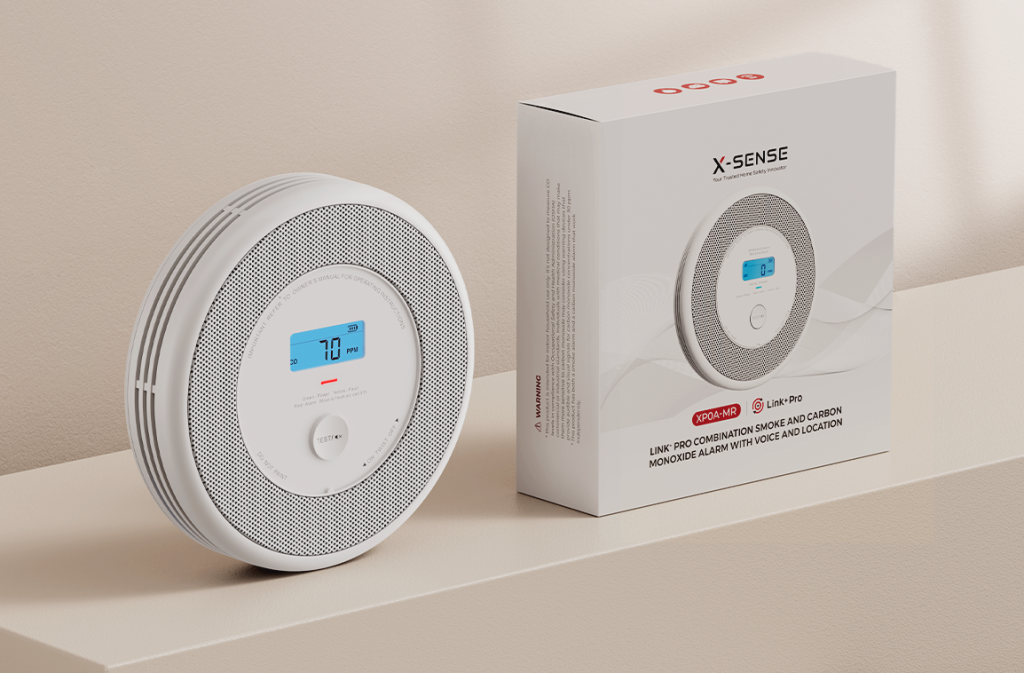
Online shopping isn’t what it used to be. These days, people want more than just a list of features — they want to feel something. They want to trust what they see and actually imagine the product in their lives before they ever hit “Add to Cart.” That’s where photorealistic 3D visualization steps in. Honestly, it’s turning into the secret weapon for anyone serious about great product design.
When you nail a photorealistic render, it does way more than just look pretty for marketing. It gives designers, engineers, and decision-makers a real sense of shape, material, and lighting before they ever build a thing.
So, if you care about getting design right from day one, saving money, and skipping all those rounds of physical prototypes, this kind of visualization just makes sense.
Why Photorealistic Visualization Matters More Than Ever

From Sketches to Realism — Bridging the Gap
Back in the day, designers relied on sketches, flat drawings, and if they got lucky, maybe a 3d rendering companyrough clay model. Most of the time, it felt like crossing your fingers and hoping for the best. What looked perfect on paper could turn out awkward or just plain wrong once you saw it in real life.
Now, photorealistic 3D renders change everything. You see your product as it’ll actually look — real lighting, real materials, real scale. You notice how the finish throws back the light, how the textures react, and if the proportions feel right when you imagine the thing sitting in a room. All that detail takes the guesswork out of the process. Everyone’s finally looking at the same thing, and suddenly, getting on the same page is a whole lot easier.
Faster Feedback, Before You Build Anything
Think about testing five versions of a product — different finishes, trims, colors — all in one afternoon. No need to wait weeks for prototypes to show up. Visualization makes that possible.
Since it’s all digital, you can play around with wood tones, swap out metals, tweak proportions, and mess with the lighting. Try out every idea. You can review, critique, and approve without having to make a single physical sample. That speed doesn’t just save time. It saves money, and honestly, it means less stuff gets wasted.
Consistency and Scalability for Big Product Lines
If you’ve got a huge catalog, keeping everything visually consistent is a nightmare. With traditional photography, every shoot risks something being off — the lighting, the angle, the touch-ups — and before you know it, your brand looks all over the place.
But with photorealistic visualization, you set up your base model and create every variation from there. Lighting, angles, the background — you control it all. The result? A consistent, unified look, whether it’s for your website, your catalogs, ads, or client decks.
How Photorealistic Visualization Makes Design Decisions Easier
See Materials, Textures, and Finish Before You Commit
Great design isn’t just about how something looks — it’s about how it feels. Especially in retail, materials and finishes shape what people think about quality.
With high-quality renders, you can see if a brushed metal handle picks up the light the way you hoped, if a matte finish hides fingerprints, or how a wood grain actually looks in daylight. You get all that info before making a single physical thing. That kind of insight steers your material choices, shapes how users feel about your product, and helps you dodge expensive mistakes.
Preview Your Product Where It’ll Actually Live
No product exists by itself. It’s going to sit on a shelf, in a living room, in someone’s workspace. Photorealistic visualization lets you drop your design into realistic environments and see how it plays with light, space, and the stuff around it.
That sneak peek helps you catch problems early — like a chair that looks awesome on its own but feels massive in a real apartment, or a lamp whose colors clash with common home decor. That’s the kind of thing you just can’t spot in a flat sketch.
Communicate Clearly With Everyone Involved
Try showing a stakeholder a blurry sketch or a technical drawing — odds are, they’ll ask for “something real.” A crisp render gets everyone on board. People from marketing, manufacturing, investment, or clients — they all get it right away.
That shared clarity cuts down on endless feedback cycles, lines up expectations, and helps decisions happen faster. You get agreement early, and you avoid those pricey, last-minute surprises.
What Processes Make Photorealistic Visualization Effective
To get the benefits above, you need a well-organized workflow. Here’s how to make it work:
- Gather Detailed Specifications. Dimensions, materials, textures, finishes — the richer the data, the more accurate the render.
- Build a High-Fidelity 3D Model. Precision matters. Every curve, bevel, seam, joint must be modeled correctly for lighting and material behavior to look real.
- Apply Materials, Textures & Lighting. High-resolution textures, realistic shaders, correct reflectivity — these make the difference between “good enough” and photorealistic. Lighting, environment setup, and context complete the illusion.
- Render Multiple Scenarios. Test different finishes, lighting conditions, angles, and variations early on. This gives you a view of all plausible options before any prototype exists.
- Review, Adjust, Iterate. Digital rendering makes revisions cheap and fast. Want a darker wood tone? Swap material. Need a softer shadow? Adjust lighting. Each iteration brings you closer to the final decision.
- Use Renders Across Teams. Share visuals with designers, engineers, marketers, and stakeholders — so everyone sees the same version and gives feedback on the same baseline.
Many brands partner with a specialized 3D rendering company to streamline this process. A professional partner handles detailed modeling, subtle lighting, realistic texturing — letting your internal team stay focused on design strategy, not rendering details.
When Visualization Outperforms Physical Prototyping
Photorealistic rendering isn’t just a cheaper alternative — in many cases, it’s a superior one. Here’s when it really shines:
- Early-stage design validation. Before committing to tooling or materials, you can test look-and-feel digitally.
- Variants and customization. Multiple finishes, colors, add-ons — renders make it easy (and affordable) to preview every option.
- Large catalog management. When you have many SKUs, creating dozens of prototypes and photoshoots becomes impractical. One master model handles them all.
- Material experimentation. Want to see how textured fabric, brushed metal, or glossy plastic might look? Digital materials reveal these subtleties without waste.
- Contextual previews. Lifestyle environments, real-world lighting, scaled backgrounds — visualization puts products in realistic settings long before physical sampling.
In short, rendering lets you test more ideas, more variations, more often at a fraction of the cost and time.
Common Mistakes to Avoid When Using Visualization
Of course, not every render is good enough. These are common pitfalls:
- Skipping detail — simplified geometry or low-res textures make renders look fake.
- Ignoring lighting — poor lighting will betray even the most accurate models.
- Working with incomplete specs — missing material data or vague references lead to inaccurate results.
- Treating renders as final design — they should support design, not replace final prototypes entirely.
Avoid these, and your visualization will serve as a real decision-making tool — not just a pretty image.
Making It Practical: Steps to Integrate 3D Visualization Into Your Product Workflow

- Secure accurate design data — dimensions, materials, textures, variants.
- Choose a reliable visual partner — ideally an experienced 3d rendering company that understands product design as well as marketing.
- Build a master 3D model — precise geometry, clean mesh, scalable.
- Run initial render passes — test materials, lighting, camera angles.
- Share with stakeholders — get early feedback while changes are still easy.
- Iterate or finalize — once approved, use the model for variants, marketing assets, approval packs.
- Use across departments — marketing, investors, manufacturing, sales — everyone benefits from the same accurate visuals.
Why Partnering with a Specialized Studio Makes Sense
If you don’t have in-house 3D expertise, outsourcing to a dedicated studio is often the best move. Professional studios have the tools, experience, and pipeline to produce consistent, production-ready renders — and to scale when your catalog grows.
With a partner, you avoid the overhead of software licenses, training, and trial-and-error. Instead, you get reliable output, faster turnaround, and visuals that reflect design intent accurately. It makes sense both economically and strategically.
Final Thoughts — Visualization Isn’t Just Pretty, It’s Smart
Photorealistic 3D visualization isn’t about replacing reality for the sake of aesthetics. It’s about giving design teams the clarity and flexibility they need to make smarter decisions — faster, cheaper, and with more confidence.
When used correctly, visualization becomes the backbone of product development: a shared language that bridges design, engineering, marketing, and sales. It reveals hidden flaws early, fosters collaboration, and ensures that the final product aligns with the vision.
If you want your designs to launch on schedule, consider integrating high-quality rendering into your workflow. The return on clarity is often worth far more than the initial investment.
And if you’re looking for a trusted partner to bring your vision to life — a studio that understands materials, light, context, and user perception — a professional 3D rendering company can turn complex ideas into a photorealistic reality.