Augmented reality technology turns your smartphone into a portable projection tool that works on any surface, anywhere. This guide compares the top AR drawing apps. You’ll learn which one fits your goals.
ArtEasy – app for AR Drawing
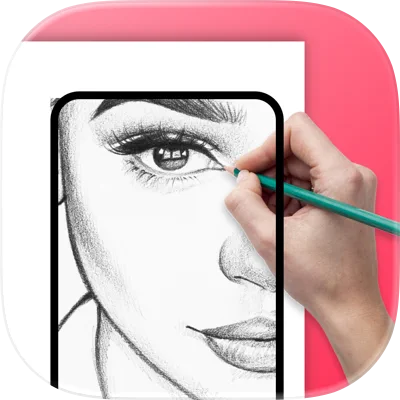
ArtEasy uses augmented reality technology to project sketches onto any surface through your smartphone camera. The app offers 500+ ready-made templates and step-by-step lessons that teach real drawing skills.
Key Features
- AR Projection on Any Surface. Project images onto paper, walls, canvas, or tables using your phone’s camera, then trace the outlines to create your artwork in real-world environments.
- AI Sketch Generator. Type any request and the app instantly creates custom templates, giving you unlimited creative possibilities beyond the built-in library.
- 500+ Ready-Made Templates. Access constantly updated collections spanning anime, portraits, tattoos, anatomy, animals, architecture, and 10+ other categories to practice diverse drawing styles.
- Structured Drawing Lessons. Follow step-by-step tutorials that build foundational skills in form, proportion, and structure, with the lesson library expanding regularly.
- Custom Image Upload. Import your own photos from the gallery or browser to transform any reference into a traceable guide.
- Personal Template Library. Save all uploaded images and AI-generated designs in the “My Templates” section for quick access and repeated practice.
Price:
- $9,99/week
- $44,99/year
Website: arteasy.app
AR Drawing
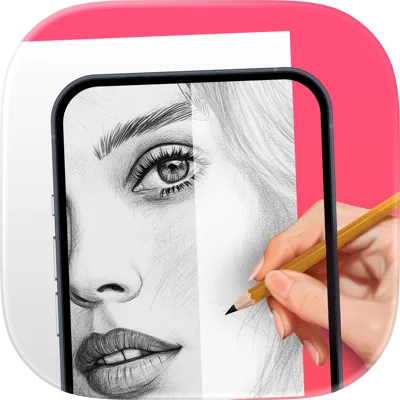
Platforms: iOS, Android
AR Drawing is an app that helps you learn to draw by tracing a projected picture on paper using your camera. It includes step-by-step lessons, templates (including anime), and tools to sketch and paint so you can quickly build drawing skills.
Key Features
- AR Camera Tracing. Uses AR so you can use your camera to trace a projected picture onto picture on paper with better accuracy.
- Step-by-Step Drawing Lessons. Offers 200+ guided lessons to learn how to draw through simple, structured practice.
- Template Library. Includes 700+ tracing templates (animals, portraits, architecture, nature, topics like anime) to draw anything.
- Photo Upload Drawing. Lets you upload your own images and sketches to draw anything you want, including pets, friends, and characters.
- AI Sketch Generator. Converts portraits and prompts into sketches, helping you draw sketch app-style outlines matched to your level.
- Coloring & Painting Tools. Supports picture on paper and color workflows using pencils, markers, or paint app techniques.
- Process Recording. Records a video of your drawing process so you can review progress or share results.
- Flashlight Support. Adds built-in lighting to improve tracing in darker environments.
- Sharing & Saving. Saves finished work to your gallery and makes it easy to share creations.
Price: 9$/week
Website: ar-drawing.com
ShadowDraw
Platforms: iOS (iPad with Apple Pencil)
Brief App Description:
ShadowDraw is a beginner-friendly sketch app that teaches you how to draw step by step by following real artists’ strokes. With structured lessons and a supportive interface, it helps users develop core drawing skills from proportions to shading, using just an iPad and Apple Pencil.
Key Features:
- Step-by-Step Drawing Lessons. Progress through every drawing stroke-by-stroke with each step unlocking only after correct completion.
- Real Artist Guidance. Follow hand-drawn tutorials by professionals to learn exactly how real artwork is constructed.
- Daily Drawing Habit. Build consistency and confidence with short, approachable exercises designed for everyday practice.
- Diverse Subject Matter. Choose from over 2,000 drawing tutorials, including anime, portraits, nature, animals, and more.
- Flexible Learning Modes. Switch between guided instruction or free drawing with your own tools and colors.
- Skill Development Focus. Practice line control, proportion, construction, and shading with every drawing.
- Beginner-Centered Interface. Designed to support accuracy and learning without overwhelming new users.
- Family Sharing Support. One subscription unlocks access for everyone in your household via ShadowDraw+ membership.
- Recognized by Apple. Featured multiple times in Apple’s App Store collections as one of the best drawing apps for iPad and Apple Pencil.
- In-App Support. Get help when you need it through live chat support directly inside the app.
Price:
- 7.99$/monthly
- 49.99$/yearly
Website: shadowdrawapp.com
ArtWorkout

Platforms: iOS, Android
ArtWorkout is a structured drawing app designed to teach you how to draw, relax your mind, and track your artistic progress. With real-time feedback, guided tracing, and multiplayer drawing, it blends education and entertainment into short, effective daily lessons.
Key Features:
- Guided Drawing Lessons. Follow over 3,000 step-by-step tutorials designed by artists, broken into short and manageable sessions.
- Real-Time Stroke Feedback. Get instant evaluation on how accurate and clean your drawing lines are to improve precision.
- Multiplayer Drawing Mode. Connect with others to trace and draw together in real-time for fun, motivation, or friendly challenges.
- Scoring and Progress Tracking. Track your improvement over time with ArtWorkout’s unique accuracy and quality analysis system.
- Stress-Free Design. Short 10–20 minute drawing sessions promote relaxation and creativity without pressure.
- Courses by Topic. Choose from a wide range of lessons including sketching, painting, doodling, and handwriting across popular themes.
- Family-Friendly Interface. Easy for kids and adults, making it suitable for beginners or as a daily warm-up tool for pros.
- Frequent Updates. New lessons are added weekly, often tied to global events, seasons, or cultural themes.
- Community Integration. Stay connected through active communities on Discord and Telegram with feedback channels for users.
- Gamified Experience. Practice drawing through bite-sized exercises designed to be fun, satisfying, and habit-forming.
Price:
- 7.99$/monthly
- 59.99$/yearly
Website: artworkout.app
Trace Drawing App
Platforms: iOS
Trace Drawing App (Sketchify) is an AR drawing app that lets you use your camera to trace a projected picture on paper, canvas, or walls. It also adds AI image generation, built-in image search, drawing lessons, and recording, so you can learn to draw, sketch, and create faster.
Key Features
- AR Projection Tracing. Projects images onto real surfaces so you can trace outlines through the camera for guided drawing with high accuracy.
- Image Import for Tracing. Lets you import photos or sketches, then resize, rotate, zoom, and align them for precise tracing.
- Step-by-Step Drawing Lessons. Provides structured drawing lessons that connect directly to AR practice, helping you build drawing skills faster.
-
AI Artwork Generation. Creates images from text prompts so you can draw anything you imagine, then use results as sketch references.
- In-App Image Search. Finds visual references inside the app so you don’t need extra tools while planning a sketch.
- Session Recording Export. Records the full drawing process and lets you export it in one tap for sharing or review.
- Coloring Enhancement Tools. Adds palettes, gradients, and fill options to finish sketches and make artwork more vivid.
- Custom Projection Controls. Adjusts placement, zoom, rotation, and alignment to improve the camera to trace experience.
Website: https://play.google.com/store/apps/details?id=tracesketch.draweasy.traceanything
Sketchar
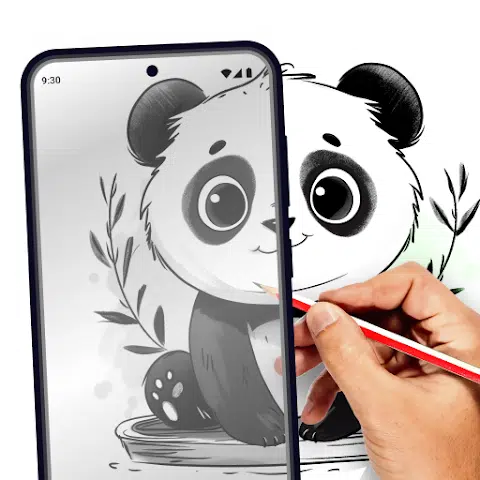
Platforms: iOS, Android
Sketchar is an ar drawing app that uses ar draw to project images onto paper, walls, or fabric so you can trace and learn to draw faster. It also includes a sketch app-style digital canvas, 750+ lessons (including anime), and an active creator community.
Key Features
- AR Projection Tracing. Uses augmented reality technology to project an image onto a real surface so you can trace a projected picture with your camera to trace clean outlines.
- Patented AR Technology. Uses ar drawing with sketchar via computer vision tools designed to make tracing easier and improve drawing skills.
- Drawing Lessons Library. Offers 750+ structured drawing lessons with topics like anime, portraits, celebrities, anatomy, landscapes, and animals.
- Daily Challenges & Contests. Adds games like ar through art challenges that keep you consistent and help you master drawing.
- Digital Canvas Editor. Includes brushes, layers, image import, stroke smoothing, and a liquid brush so you can create stunning digital sketch work.
- Time-Lapse Recording. Records a video of your drawing process so you can review progress and share your results.
- Custom Growth Plan. Builds a personalized growth plan with progressively challenging exercises to hone your skills.
- Creator Community Profile. Lets you publish work, collect contributions to the app community, collaborate, and grow your portfolio.
Price:
- 14.99$/monthly
- 69.99$/yearly
Website: sketchar.io
AR Easy Draw
Platforms: Android
AR Easy Draw is an augmented reality drawing app that helps you learn to draw by using your camera to trace images on real surfaces. You can import photos, explore anime templates, follow multi-level lessons, and record the video of your drawing process to track progress and share results.
Key Features
- Camera-Based AR Tracing. Uses ar draw so you can place the phone on a stand and sketch by tracing a projected picture through the screen.
- Photo-to-Outline Conversion. Turns complex pictures into simple outlines for tracing, making drawing easier for beginners who want to draw.
- Difficulty-Based Learning Path. Offers lessons tailored to artists with three levels and progressively challenging exercises to hone your skills.
- Template & Topic Library. Includes categories like anime, cartoon, animals, food, people, fanart, vehicles, flowers, and seasonal themes to draw anything.
- Advanced Drawing Controls. Lets you adjust opacity, zoom in/out, toggle flash, and extend the image for a better drawing way.
- Video Tutorials Support. Adds detailed tutorials that show how to learn how to draw specific pictures step by step.
- Process Recording & Downloads. Lets you record a video of your drawing process, then download videos to replay or post online.
- Profile & Progress Tracking. Tracks time spent drawing and lessons completed, helping you measure improvement in drawing skills.
- Sharing to Community. Makes it easy to share finished work with others and get feedback as you explore creativity with ar drawing.
Website: play.google.com/store/apps/details?id=com.draw.sketch.ardrawing.trace.anime.paint
Da Vinci Eye

Platforms: iOS, Android, visionOS
Da Vinci Eye is an innovative mobile app that helps you draw anything with precision by projecting images onto any surface using augmented reality. Whether you’re sketching portraits or painting murals, it offers tools for tracing, scaling, and stylizing your artwork with accuracy.
Key Features:
- AR Art Projection. Uses augmented reality to overlay images on your canvas, letting you trace with perfect proportions.
- Step-by-Step Stencils. Converts any photo into a guided lesson by breaking it down into shading layers and shapes.
- Classic and AR Modes. Switch between traditional projection or AR that locks images to your surface even as you move.
- Strobe Tool. Flashes the original image and your drawing alternately to help detect errors and create photorealistic results.
- Layer View. Separates images into shadows, mid-tones, and highlights, guiding you in accurate shading placement.
- Time-Lapse Recording. Capture and share a video of your drawing process directly from the app.
- Zoom and Micro Detail. Zoom in digitally to capture tiny details, no matter the size of your project.
- No Dark Rooms Needed. Works in full light, unlike traditional projectors, so it is ideal for indoor and outdoor use.
- Daily Prompts and Lessons. Offers progressively challenging exercises to hone your drawing skills every day.
- Community and Support. Connect with artists, share your work, and get fast customer service when you need it.
Price: 19.99$ for Android, and free for iOS with the option to upgrade.
Website: davincieyeapp.com